Find the best video editing software for your workflow and budget. This guide highlights five top options, each suited to different creator needs—from beginners seeking simple cuts to pros needing advanced effects. The top picks cover Windows-centric suites, all-in-one multimedia tools, and hardware bundles that simplify capture and editing. Suitable buyers include hobbyists, content creators, and professionals looking for feature-rich editing, efficient workflows, and reliable performance.
| Product | Best For | Why It Stands Out |
|---|---|---|
| Corel Dazzle Dvd Recorder Hd Video Capture Device + Video Editing Software | Best for converting legacy tapes | Simple capture-to-disc workflow with included editing software |
| CyberLink PowerDirector & PhotoDirector 2026 | Best AI-powered editing | Fast AI tools for photos and videos, batch editing, and creative effects |
| Corel VideoStudio Ultimate 2023 | Best value with premium effects | Rich effects with templates and creative content |
| Pinnacle Studio 26 | Best for multi-track storytelling | Six-track timeline, advanced keyframing, and screen recording |
| Sony ZV-1F Content Creator Kit | Best for on-the-go creators | Compact kit with built-in AI features and stabilization |
Corel Dazzle Dvd Recorder Hd Video Capture Device + Video Editing Software
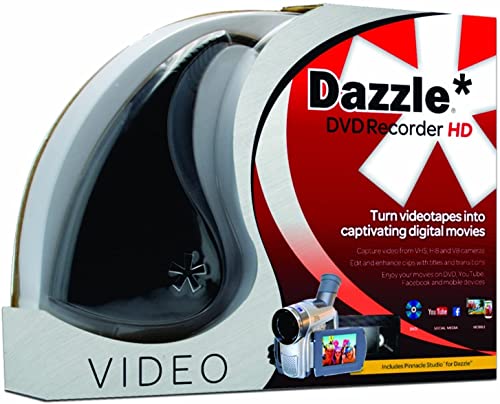
Best for: Consumers who want to transfer analog memories to digital formats and burn them to DVD. This package includes a capture device and an editing software disc for basic editing tasks. It is ideal for hobbyists preserving family videos from VHS, Hi8, and similar formats, with straightforward capture and conversion workflows.
Why selected: The combo simplifies capturing from legacy sources and producing digital copies without complex setup. It provides a clear path from analog to digital with an on-ramp to basic editing utilities.
Limitations: Audio adapters may be required for certain sources and formats; more advanced modern editing techniques might require additional software or hardware upgrades.
CyberLink PowerDirector & PhotoDirector 2026
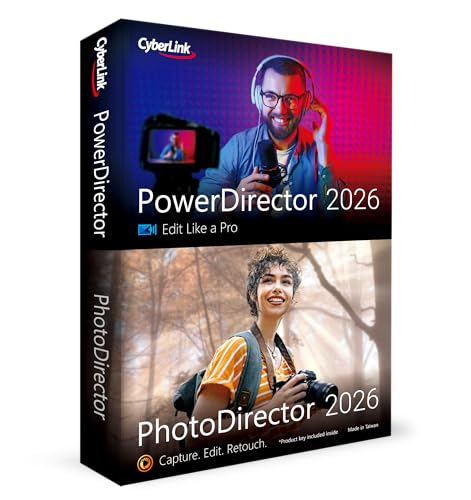
Best for: Creators who want AI-assisted editing for both video and photos, with fast batch processing. This suite suits editors who value quick color corrections, retouching, and creative design tools integrated in one package.
Why selected: AI-driven quick actions and batch editing streamline workflows, while the bundled PhotoDirector tools add value for social media creators who want cohesive visuals across media types.
Limitations: Some advanced effects may require experimentation to achieve professional-grade results; performance depends on PC specifications.
Corel VideoStudio Ultimate 2023

Best for: Editors seeking a robust Windows-based solution with premium effects and templates, while staying accessible for intermediate users. It offers a balance of advanced features and user-friendly workflows.
Why selected: The suite includes transitions, titles, and content templates, plus bundled NewBlueFX and proDAD effects, enabling creative storytelling without a steep learning curve.
Limitations: Some advanced features may require learning curves; performance varies with hardware and project complexity.
Pinnacle Studio 26

Best for: Content creators who want a feature-rich, stable editing environment with a six-track timeline and strong import/export options. Suitable for more ambitious projects that require organized editing and effects.
Why selected: It provides advanced keyframe editing, multi-camera editing, and screen recording capabilities, making it a solid step up for serious hobbyists and semi-professionals.
Limitations: The interface can be heavier than entry-level editors; some effects require careful management of system resources.
Sony ZV-1F Content Creator’s Ultimate Kit

Best for: On-the-go vloggers and creators who want a compact kit that includes a high-quality camera, memory, and editing-friendly features. The package targets users who value mobility and built-in tools for quick content creation.
Why selected: Real-time Eye Autofocus and stabilization help produce sharp footage while moving. The built-in mic and editing-friendly settings support efficient production for social media creators.
Limitations: This is primarily a hardware kit with editing capabilities; it does not substitute for a full desktop editing suite, though it pairs well with software for portable workflows.
Buying Guide
What should you consider before buying video editing software?
Determine your primary use case: casual editing, social media content, or professional video production. Choose a tool that fits your workflow, not just your budget.
Operating system compatibility matters. Some suites excel on Windows, others on Mac or cross-platform. Verify system requirements before purchase.
Evaluate learning curve and features: templates, titles, transitions, color correction, keyframe editing, motion tracking, and AI-assisted tools influence how quickly you can produce results.
Performance expectations: hardware requirements, GPU acceleration, and RAM impact rendering speed and playback. A higher-end system enhances experience with complex projects.
Workflow integration: consider whether the software offers easy export to social platforms, batch processing, and compatibility with other apps you use (photo editors, motion graphics, etc.).
Which features separate the best from the rest?
- AI-enhanced editing for quick adjustments and batch processing.
- Multi-track timelines and advanced keyframing for precise control over edits.
- Premium effects, templates, and transitions for faster storytelling.
- Screen recording and captioning tools for comprehensive video production.
- Integrated photo editing and design tools for cohesive media projects.
Software vs. hardware bundles
Consider whether a capture/recording device or camera kit adds value to your setup. Hardware bundles may simplify the workflow but can increase upfront costs.
For legacy media, a capture-and-edit combo can save time by providing an end-to-end path from analog to digital with built-in editing capabilities.
FAQ
- What is the easiest video editing software for beginners?
Look for intuitive interfaces, visual templates, and guided workflows. Options like PowerDirector or VideoStudio typically offer beginner-friendly modes and helpful tutorials. - Do these programs work on Windows 10/11?
Yes, the listed products are designed to run on Windows with supported versions; check each product’s system requirements for specifics. - Can I edit 4K video with these tools?
Many of the listed suites support 4K editing, but performance depends on hardware and project complexity. Verify 4K support in the product details. - Is AI editing worth it for social media videos?
AI editing can speed up repetitive tasks and help achieve consistent looks, but you may still need manual tweaks for unique branding or storytelling. - Should I buy a hardware capture device with software?
If you have legacy tapes or want a straightforward capture path, a bundled device can simplify setup. For modern cameras, software-only solutions may suffice. - Are these products compatible with third-party plugins?
Many offer built-in effects and support third-party plugins, but compatibility varies by software version. Check plugin availability before purchasing.