If you’re expanding a Wi‑Fi network, choosing the right wireless access point (AP) matters for speed, coverage, and management. This guide highlights five APs that balance performance and ease of use for different buyers—from freelancers and home offices to small businesses. Each pick is best for a specific scenario, with clear reasons and simple trade-offs to help you decide fast.
Summary of selected products:
- TP-Link Omada 7 BE5000 (EAP720) — Best for multi-gig networks and centralized cloud control
- TP-Link TL-WA1201 — Best for budget-friendly, MU‑MIMO dual‑band deployments
- Ubiquiti UniFi nanoHD — Best for high‑density environments
- TP-Link Omada AX3000 (EAP650) — Best Wi‑Fi 6 option with cloud management
- TP-Link AX1800 (EAP610) — Best value Wi‑Fi 6 AP with strong cloud features
TP-Link Omada 7 BE5000 Wireless Access Point

Best for: teams or networks that require centralized management and high throughput. This AP supports a 2.5G port and Wi‑Fi 7 with 4‑stream capability, delivering up to 5.0 Gbps combined across bands and enabling advanced features via Omada Cloud Management, such as AI support and zero-touch provisioning. Choose this if you want scalable, cloud‑driven control for multiple sites and future‑proof performance.
Why selected: The 2.5G port and Wi‑Fi 7 technology boost performance for dense environments, while Omada integration simplifies large network deployments. It’s suited for offices or campuses with growing device counts and multi‑gig internet plans.
Caution: The newest features rely on Omada cloud services; on-premise deployments may need compatible controllers for full feature access.
TP-Link TL-WA1201 AC1200 Dual Band Access Point

Best for: budget-conscious users needing reliable dual‑band coverage and flexible operation modes. The TL‑WA1201 supports MU‑MIMO and four modes (Client, Multi‑SSID, Range Extender, AP), giving you versatile deployment options in small offices or apartments. It can be powered by Passive PoE for easier wiring.
Why selected: It provides solid performance at a reasonable price and adds flexibility with multiple configurations, making it a strong starter AP for simple networks or mixed device environments.
Caution: Not a Wi‑Fi 6 device; performance may lag behind newer models in very dense networks or with the latest devices expecting Wi‑Fi 6/7 speeds.
Ubiquiti UniFi nanoHD Compact Access Point
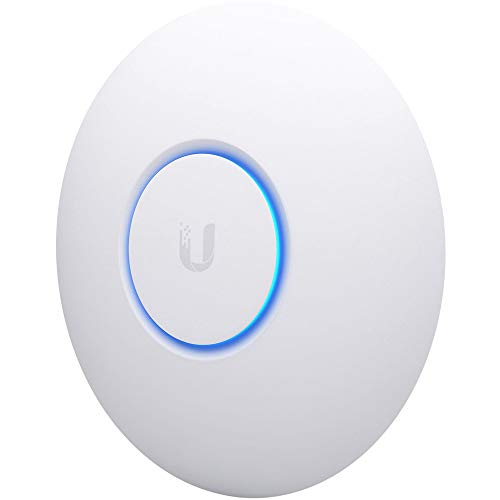
Best for: environments with many concurrent users and high client density. The nanoHD uses four‑stream 802.11ac Wave 2 MU‑MIMO and supports 200+ concurrent users with 802.3af PoE compatibility. It pairs well with UniFi controller ecosystems for centralized management and monitoring.
Why selected: Strong performance in dense deployments and a compact form factor that blends into modern interiors. It’s a favorable pick for small businesses seeking enterprise capabilities on a moderate budget.
Caution: Requires UniFi controller for full management; standalone operation is limited compared with cloud‑managed options.
TP-Link Omada AX3000 Wireless Access Point (EAP650)

Best for: modern offices and small businesses seeking Wi‑Fi 6 performance with cloud management. The EAP650 delivers AX3000 speeds, supports Omada Cloud Management, and offers a sleek, ultra‑slim design for easy mounting in professional spaces.
Why selected: Wi‑Fi 6 provides better efficiency and capacity for many devices, plus Omada cloud management simplifies administration across sites. The slim form factor also helps with aesthetics in offices, hotels, or classrooms.
Caution: As with other cloud‑managed devices, local controller availability may affect feature access in environments with restricted internet access.
TP-Link Omada AX1800 Wireless Access Point (EAP610)

Best for: cost‑effective Wi‑Fi 6 coverage for small offices or homes with moderate device counts. The EAP610 provides AX1800 performance and Omada Essentials Cloud Management for streamlined control.
Why selected: It balances price and capability, making it a practical upgrade from older APs without paying for high‑end features you don’t need. The cloud option supports scalable growth across sites.
Caution: While capable, it may not match the peak throughput of higher‑end Wi‑Fi 6 models in ultra‑dense environments.
Buying Guide
What should I consider when choosing a wireless access point?
- Client density and area: For many devices or large spaces, prioritize APs with higher throughput, multiple streams, and better antenna designs.
- Wi‑Fi standard: Wi‑Fi 6 (AX) generally offers better efficiency and capacity than earlier standards; Wi‑Fi 7 ( if available) provides additional capacity and faster speeds.
- Management: Cloud‑managed options simplify administration across multiple sites; on‑premise controllers can be preferred where internet access is limited.
- Wiring needs: APs with multi‑gig ports (2.5G/5G) future‑proof networks that plan multi‑gig internet connections.
- Power delivery: PoE or Passive PoE makes installation easier by reducing cabling and power adapters.
Performance vs. value: how to compare
- Look at max total throughput and how it splits across bands to determine real‑world speeds for multiple devices.
- Consider feature sets like MU‑MIMO, Multi‑User technologies, and Zero Touch Provisioning for scaling networks without heavy IT overhead.
- Cloud management can save time but may introduce dependency on internet access and vendor platform availability.
Deployment scenarios
- Home or small apartment: A single AX or high‑performing AC AP with simple management is often sufficient.
- Small office or cafe: A Wi‑Fi 6 AP with cloud management and PoE support helps cover larger spaces and guest networks.
- Retail or hospitality: High‑density, enterprise‑grade APs with centralized monitoring improve reliability and guest experience.
FAQ
- What is the difference between a wireless access point and a router? An AP extends an existing wired network wirelessly; a router creates and manages a network with NAT and routing features.
- Do I need cloud management for my AP? Cloud management is convenient for multi‑site deployments; single‑site setups can be managed locally if preferred.
- Is Wi‑Fi 6 worth upgrading to right now? Yes for higher efficiency and better performance with many devices, especially in busy environments.
- Can I mix APs from different brands? It’s possible but may complicate management; using a single ecosystem often provides smoother cloud management and configuration consistency.
- Do APs require a lot of power? Most modern APs support PoE or Passive PoE, which reduces power adapters and simplifies installation.
- Will AI features improve performance? AI‑driven features typically help with network optimization and automated provisioning in cloud platforms.