Direct answer: The top options below provide reliable full-system, image, and file backups for Windows 11 and 10, with features that target malware recovery, hardware failures, and accidental data loss. Best for individuals needing complete system rescue, small teams seeking multi-destination backups, and users who want automated, cloud-enabled protections.
Who should read this: This guide is ideal for home users protecting precious photos and documents, freelancers safeguarding project files, and small offices needing dependable disaster recovery. Each product highlights who it’s best for and why it stands out. A quick summary table follows to compare core capabilities at a glance.
| Product | Best For | Key Benefit |
|---|---|---|
| Backup Pro 27 – Full system backup | Power users needing all-in-one rescue | Comprehensive system and data backups with cloud options |
| AOMEI Backupper PRO | Users seeking quick recovery after failures | Instant recovery and malware protection |
| Nero BackItUp | One-time payment lovers | Lifetime license with multi-destination backups |
| NTI Backup Now EZ 7.5 | Single-PC households needing scheduled backups | 4-in-1 backup suite including cloud and image backups |
| Ashampoo Backup Pro 27 | Users valuing simple, automated backups | Automated, malware-focused protection |
Backup Pro 27 – Full System Backup

Features: KEEP YOUR SYSTEM SAFE – protect your computer from data loss due to malware, system flaws, or hardware defects. SECURE ALL TYPES OF DATA – backup photos, videos, documents, or other files. Benefit from smart rules for Outlook, Firefox, IE, Chrome, Edge, and Thunderbird. MAXIMUM FLEXIBILITY – create and store backups on hard drives, USB drives, network drives, and in the cloud.
Best for: Tech-savvy users who want a robust, all-in-one backup solution with flexible destinations. Choose this for comprehensive protection that spans local and cloud storage. Limitation: The feature set may appear complex for casual users; onboarding could require careful setup.
Backup Pro 27 – Image Backups and Rescue
Features: Backup, save and restore data—easy to use for rescue after malware, hardware failure, or Windows crashes. Real-time backup to monitor changes. State-of-the-art rescue system based on the latest Windows version.
Best for: Users who want ongoing change monitoring and a strong emphasis on quick recovery. Better for: environments needing close-to-real-time data protection. Caution: Real-time monitoring can increase resource use during active hours.
AOMEI Backupper PRO
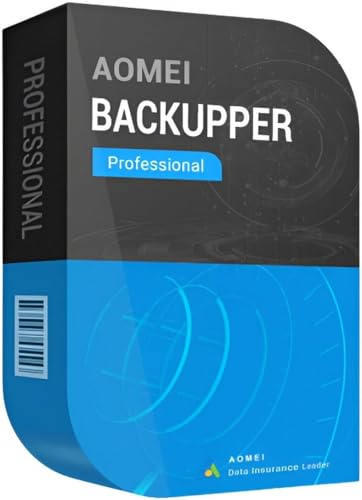
Features: Never lose data again with instant recovery after a system failure. All-in-one backup and recovery software for Windows, including file synchronization and disk cloning. Protection against viruses, malware, and ransomware; restore backups to keep working.
Best for: Small offices or power users who need dependable disaster recovery with quick restore. Choose this if you want a straightforward workflow for backup, clone, and recovery. Limitation: Some advanced features may require a learning curve for best results.
Nero BackItUp

Features: One-time payment, lifetime use. Comprehensive backup and recovery for photos, videos, music, and documents. Backups to multiple destinations, including external drives, NAS, DVDs, or cloud services like Google Drive or OneDrive.
Best for: Users who prefer a one-and-done purchase with flexible destinations. Avoid if you need subscription-based features or cloud-first workflows that require frequent updates.
NTI Backup Now EZ 7.5

Features: 4-in-1 total backup solution featuring scheduled backups, cloud backup, PC image backup, and file/folder backup. Available in CD or download with included instructions. Compatible with Windows 11 through XP, and can back up to NTI Cloud, OneDrive, Google Drive, or Dropbox.
Best for: Individuals who want a classic, flexible backup suite with scheduling and cloud options. Choose this if you need legacy device support across multiple Windows versions. Limitation: Some users may prefer more modern interfaces or integrated AI features.
Ashampoo Backup Pro 27

Features: Malware-focused protection with automated backups. Simple, reliable backup for one PC. Supports backups of essential files and system images with options for restoration.
Best for: Users who want a straightforward, automated backup experience with clear recovery paths. Choose this if you value ease of use over a broad feature set. Limitation: May be less feature-rich for complex multi-destination needs.
Buying Guide
What to look for in Windows backup software: coverage (full system vs. file-level), restore speed, source and destination flexibility (local drives, NAS, cloud), ease of use, and malware/ransomware protection. Consider your device count, as some licenses cover multiple PCs while others are single-user. Cloud integration and scheduling can save time, but verify privacy settings and data residency. Real-time backups reduce data loss but may impact system performance during peak use. If you need quick hardware failure recovery, prioritize image-based backups and tested rescue environments.
Practical questions for buyers
- Do I need a full-system image backup or only critical files?
- Should I back up to local drives, cloud storage, or both?
- Is there a convenient recovery option after malware or ransomware?
- Do I prefer a lifetime license or a subscription model?
Frequently Asked Questions
- What is the difference between image backup and file backup? Image backup saves a complete snapshot of the system, enabling full restoration; file backup protects selected documents and media.
- Can backup software protect against ransomware? Some tools offer ransomware protection or anti-malware recovery features; verify specific capabilities.
- Is cloud backup necessary? Cloud backups provide off-site protection and easy restoration from anywhere, but local backups are faster for large restores.
- Do I need software on every PC? Licenses vary; some products are single-PC, others cover multiple machines. Check license terms before purchasing.
- How often should backups run? Schedule daily or weekly backups based on data volatility and risk tolerance.