Answering the question many buyers have: which video editing software on Windows delivers strong editing tools, reliable performance, and clear value? This guide highlights five strong options suited to different needs—from beginners creating slideshows to professionals assembling multi-track, high-resolution projects. The top picks cover AI-assisted workflows, 4K/8K support, and user-friendly interfaces. The buyer types below show who each product is best for, plus practical trade-offs to consider before you buy.
| Product | Best For | Why It Stands Out |
|---|---|---|
| Nero Video 2026 | New editors and hobbyists seeking an all-in-one tool | 1000+ effects and a multi-track timeline with 4K/8K support. |
| CyberLink PowerDirector 2026 | Creative creators who want AI-assisted editing | AI features, screen recording, and extensive effects for fast productions. |
| Nero Video Maker | Users needing AI-powered templates and 8K-capable output | Templates, AI media management, and high-resolution output. |
| Adobe Premiere Elements 2026 | Smarter, guided editing for beginners to enthusiasts | AI-assisted trims, guided workflows, 360°/VR editing support. |
| Pinnacle Studio 26 Ultimate | serious editors seeking pro-level tools | 8K-ready, advanced color, motion tracking, green screen, and multi-camera. |
Below, five products are examined with clear pros, ideal user types, and practical cautions. This structure helps you compare quickly and choose the best fit for your projects.
Nero Video 2026 — Versatile All‑in‑One Editor

Nero Video 2026 provides an approachable drag-and-drop editor with a vast toolkit. It supports 4K and 8K formats and enables multi‑track editing for complex projects. This makes it well-suited for hobbyists moving toward more polished productions and small-business content creators who value an all-in-one package with powerful effects and motion tracking.
Best for: Beginners and intermediate editors who want a robust, easy-to-learn suite with extensive effects and formats. The lifetime license adds long-term value for steady, ongoing use.
Caution: The depth of features may feel overwhelming for absolute beginners who need a highly guided workflow. Consider starting with the basics before diving into advanced effects.
CyberLink PowerDirector & PhotoDirector 2026
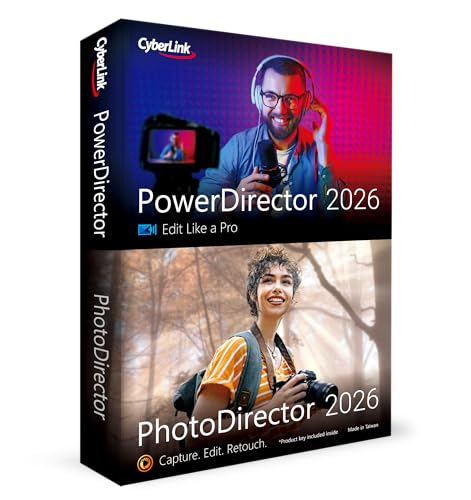
PowerDirector 2026 blends powerful video editing with AI-driven tools for photos, including batch editing and face retouching. It also features a rich set of effects and a flexible UI that supports quick turnarounds for social media, marketing videos, or creative clips. This makes it an attractive option for content creators who want fast, impressive results with minimal scripting.
Best for: Creators who want AI-assisted editing, efficient batch processing, and a broad suite of effects for quick, compelling videos. Choose this if you rely on both video and photo projects in one workflow.
Caution: Advanced professionals may eventually outgrow the built‑in templates and shortcuts; consider supplementing with a more feature-dense editor if you need ultra-fine control.
Nero Video Maker — AI‑Powered Studio

Nero Video Maker focuses on AI-assisted creation and templates to simplify video production. It supports 8K and 4K outputs with a lifetime license for one PC, pairing advanced AI tools with a straightforward editing environment. This is ideal for users who want quick, polished results without steep learning curves.
Best for: Those who prioritize AI-driven templates and an intuitive editing experience for high-resolution projects. It’s a solid pick if you want rapid edits with professional polish.
Caution: For complex projects requiring extensive custom motion paths, you may prefer a more traditional, multi‑track editor with deeper keyframing controls.
Adobe Premiere Elements 2026 — Guided AI Editing

Premiere Elements 2026 emphasizes guided, AI-assisted editing with quick-start modes that help newcomers grow their skills. It supports 360° VR and stop-motion workflows, offering an approachable path to more complex projects. This option suits hobbyists, students, and small teams who need dependable outcomes with an easier learning curve than full Premiere Pro.
Best for: Beginners to enthusiasts who want guided workflows, helpful tutorials, and VR/360 support. Consider this if you value step-by-step editing guidance and a smoother learning curve.
Caution: While capable, it may lack some of the deep, professional-grade features found in higher-tier editors, which could limit complex, multi-camera productions.
Pinnacle Studio 26 Ultimate — Pro‑Level Capabilities

Pinnacle Studio 26 Ultimate brings pro-level editing capabilities to Windows with an emphasis on advanced color grading, motion tracking, green screen, and 4K/8K support. It supports unlimited tracks, extensive keyframing, and powerful tools like masking and multi-camera editing. This is a strong choice for users who require deep control and high-end effects without jumping to a subscription model.
Best for: Experienced editors and professionals who need robust, multi-track timelines, precision keyframing, and advanced effects. Choose this if you require powerful, granular control over every aspect of the project.
Caution: The interface can be complex, and there is a steeper learning curve compared to entry-level editors. Time investment may be higher to master all features.
Buying Guide: How to Choose the Right Windows Video Editor
- Editing goals: Are you creating quick social clips, or building multi-track features for films? Align the tool with your project scope and required features like multi-track timelines, motion tracking, color grading, and 360° VR support.
- Ease of use vs. control: Beginners benefit from guided workflows (Adobe Premiere Elements), while advanced users may prefer comprehensive control (Pinnacle Studio Ultimate or PowerDirector).
- AI features: If you value automation (AI enhancements, batch edits, smart templates), prioritize editors with strong AI capabilities (PowerDirector, Nero products).
- Output quality: Consider supported formats and resolutions, including 4K and 8K, plus the availability of color grading tools, frame interpolation, and robust export options.
- Platform and licensing: Decide between lifetime licenses and subscription models. Check system requirements for Windows versions and whether a single-PC license fits your setup.
- Learning resources: Look for tutorials, guides, and community support to shorten the learning curve and maximize feature use.
Frequently Asked Questions
- What is the best video editor for beginners on Windows?
Answer: Editors with guided workflows like Adobe Premiere Elements or Nero Video Maker offer approachable starts with helpful tutorials. - Do these editors support 8K video?
Answer: Several options in this list do, including Nero Video 2026 and Pinnacle Studio 26 Ultimate, depending on format and system capabilities. - Is AI editing worth it for hobbyists?
Answer: AI features can speed up routine tasks, offering templates and smart adjustments that help beginners produce polished results more quickly. - Should I buy a lifetime license or a subscription?
Answer: Lifetime licenses provide long-term access with a single payment, while subscriptions offer ongoing updates and features as they release. - Which editor is best for multi-camera projects?
Answer: Pinnacle Studio 26 Ultimate and PowerDirector 2026 deliver strong multi-camera and advanced timeline capabilities suitable for complex shoots. - Can I mix photo editing in the same program?
Answer: Some products integrate photo tools (PowerDirector with PhotoDirector) to manage both media types within one workflow.