Answering the need for a compact, high-clarity secondary display, portable gaming monitors expand your laptop or console setup wherever you are. This guide targets buyers seeking a lightweight, versatile screen for gaming, work, or both. Top picks cover a range from budget-friendly to higher-refresh models, each explained for who benefits most. The following five products are selected for strong balance of image quality, connectivity, and travel-friendly design.
| Product | Best For | Key Benefit |
|---|---|---|
| MNN 15.6″ FHD | Travelers and students | Two full-feature Type-C ports simplify power and signal with one cable |
| ARZOPA Z1FC 16.1″ | Competitive gamers on the go | 144Hz for smooth motion |
| EVICIV 18.5″ | Home office and dorms | 120Hz with a protective sleeve for travel |
| ZefcS 16″ | PS5/Xbox enthusiasts | 144Hz, HDR-capable IPS panel |
| Acer Nitro 15.6″ | Casual gamers and productivity | 165Hz with FreeSync for smooth visuals |
MNN 15.6″ FHD Portable Monitor

The MNN 15.6-inch portable monitor offers full HD 1920×1080 resolution with an IPS panel and wide 178° viewing angles. Its eye-care features reduce blue light and flicker, making long sessions more comfortable. Designed for travelers, students, and professionals, this model emphasizes a slim profile and two full-feature Type-C ports for plug-and-play use. Best for users who want a simple, one-cable power and signal setup, provided their devices support Thunderbolt 3.0 or USB 3.1 Type-C DP Alt-Mode.
Who this is best for: remote workers, students, and gamers who value portability and straightforward connectivity. Why selected: dual Type-C ports streamline power and data with a single cable, and the wide viewing angles preserve image quality across seating options. Limitation: requires compatible devices with USB-C DP Alt-Mode for multi-port functionality.
ARZOPA Z1FC 16.1” Portable Monitor

ARZOPA’s Z1FC model features a 16.1″ 144Hz display with 1080p resolution and a 106% sRGB color gamut. The built-in stand supports easy tilt adjustments, helping you optimize viewing angles for gaming or work. Its lighter weight and compact form make it suitable for gamers who want faster motion clarity on the move. Best for: competitive gamers who need higher refresh rates in a portable form factor. Choose this if you prioritize motion smoothness over the ultra-wide color gamut. Limitation: no mention of FreeSync or adaptive sync in the spec set, so compatibility should be checked with your device’s GPU timing.
EVICIV Portable Monitor 18.5”
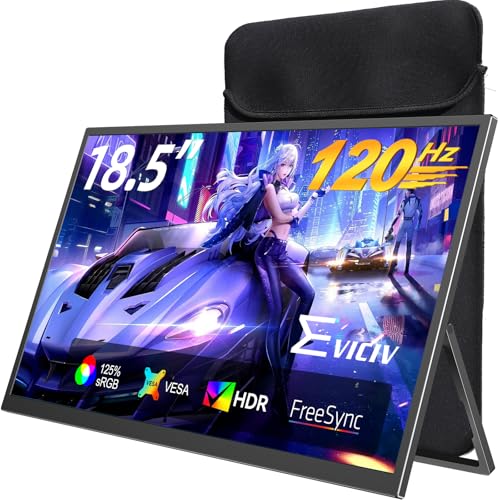
EVICIV’s 18.5-inch display emphasizes an expansive workspace with ultra-thin bezels and a 120Hz refresh rate. The 1ms response enhances fast gaming and reduces motion blur. It ships with a travel sleeve, adding protection during transit, which is practical for students and remote workers who move between locations. Best for: those who want a larger portable screen with quick response times. Limitation: its 1ms claim should be considered alongside the 120Hz spec, as real-world performance can vary with content and input devices.
ZefcS 16″ Portable Gaming Monitor

ZefcS offers a 16-inch panel with 144Hz refresh rate and 1920×1200 resolution, tailored for a smooth gaming experience on the go. The IPS panel supports HDR and eye-care features to reduce fatigue during extended sessions. Best for: gamers who want a balance of resolution and high refresh rate without an oversized display. Choose this if you want HDR and smoother motion. Limitation: HDR performance on portable panels can be limited by brightness and local dimming, so expectations should be managed accordingly.
Acer Nitro 15.6in FHD Portable Monitor
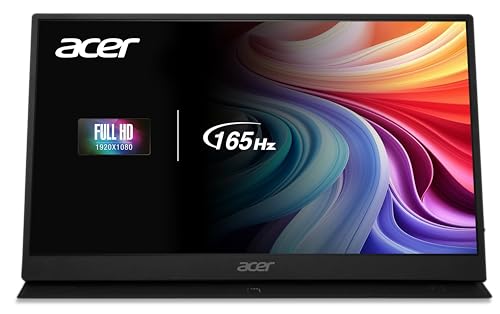
Acer’s Nitro PG161Q offers a 15.6-inch, 1080p IPS panel with a notable 165Hz refresh rate. This model emphasizes high-speed gaming and fluid visuals, aided by AMD FreeSync for tear-free gameplay. Best for: casual to mid-core gamers who want a compact, portable setup with high refresh performance. Limitation: higher refresh rate can demand more from the connected GPU; ensure your device can consistently drive 165Hz for best results.
Buying Guide: Portable Gaming Monitors
What should you consider when choosing a portable monitor?
- Display size and weight: If you travel often, smaller screens (15.6″) tend to be lighter and more packable, while larger screens offer more desktop-like work areas.
- Refresh rate: 60Hz is adequate for work and casual gaming, but 120Hz or 144Hz benefits fast-action games and smoother scrolling.
- Connectivity: Look for USB-C with power delivery and video support (DP Alt-Mode) to minimize cables. Some models offer dual USB-C ports or additional HDMI inputs.
- Color and viewing angles: IPS panels with wide viewing angles and good color accuracy improve both gaming immersion and productivity tasks.
- Eye comfort: Features like flicker-free backlighting and low blue light reduce strain during long sessions.
- Portability features: Built-in stands, protective sleeves, and VESA compatibility add versatility in different usage scenarios.
- Compatibility: Ensure your devices (laptops, consoles, tablets) support the monitor’s input types and any power delivery requirements.
Frequently Asked Questions
- What is the main advantage of a portable monitor?
– It provides a dedicated second screen that boosts productivity and can enhance on-the-go gaming without a traditional desk setup. - Do I need HDR for portable gaming monitors?
– HDR can improve contrast and color, but brightness and panel quality matter more on a portable device. Manage expectations on glossy panels in bright environments. - Is USB-C alone enough to power and transfer video?
– Many models use USB-C with DP Alt-Mode to deliver both power and signal. Check your device’s compatibility before purchasing. - Which refresh rate matters most for gaming on a portable monitor?
– 120Hz or higher helps with motion clarity in fast-paced titles, but you still need a capable GPU to drive those frames. - Can I mount these monitors somewhere else than a desk?
– Some monitors include built-in stands and VESA compatibility. If desk space is limited, consider stands or wall mounting options compatible with the model. - Are built-in speakers important?
– Built-in speakers add convenience but often lack bass; consider external audio if you want richer sound in gaming or media use.