Answer: For reliable, user-friendly PC migrations, Laplink PCmover leads with AI-assisted guidance and multiple transfer options, while NTI Echo 7 provides robust disk cloning for drive upgrades. This guide compares five top options to help buyers choose the right tool based on licensing, transfer methods, and enterprise needs. The following selections are suited for individual users upgrading to a new PC, IT teams refreshing hardware, or users seeking automated, minimal-downtime migrations.
Summary of featured products
| Product | Best For | Key Benefit | Typical Use |
|---|---|---|---|
| Laplink PCmover Ultimate 11 | Power users needing AI insights | AI-assisted transfer insights with Wi‑Fi Direct | Single-source to single-destination migrations |
| Laplink PCmover Professional | Advanced home or office migrations | Unlimited transfer attempts per license | Move apps, files, and settings |
| Laplink PCmover Business Standard | Small to mid-size teams | Tiered licenses for multiple transfers | Automatic migrations across PCs |
| NTI Echo 7 | Drive upgrades and cloning | 4K-sector drive compatibility and automatic resize | Disk cloning across drive types |
| Laplink PCmover Express | Simple, quick migrations | Guided wizard and Windows compatibility | Single-user transfers |
Laplink PCmover Ultimate 11

Product overview: This edition emphasizes fast and efficient transfers with AI-assisted insights. It includes options such as SafeErase for securely wiping old data and an Ethernet transfer path, plus Wi-Fi Direct for speed. The license covers one source and one destination computer, with additional licenses needed for more PCs. Best for power users who value guided, data-focused migration and rapid setup.
Best for: Individuals who need a guided, AI-enhanced migration with flexible transfer paths. Why chosen: It combines AI-driven transfer summaries with multiple connection options, reducing guesswork during the move.
Caution: The one-license-per-migration model may require extra licenses for multiple PCs or larger IT deployments.
Laplink PCmover Professional

Product overview: A robust tool for moving applications, files, and settings between PCs. It emphasizes AI-assisted transfer insights and reliable transfers via Wi-Fi Direct. Licensing supports one source and one destination, with additional licenses required for multi-PC deployments. Best for: Home users or small offices upgrading to new computers. Why chosen: Strong balance of features, performance, and simple licensing for single-destination migrations.
Caution: For multi-PC refreshes, additional licenses are required, which can increase cost per migration.
Laplink PCmover Professional | Instant Download
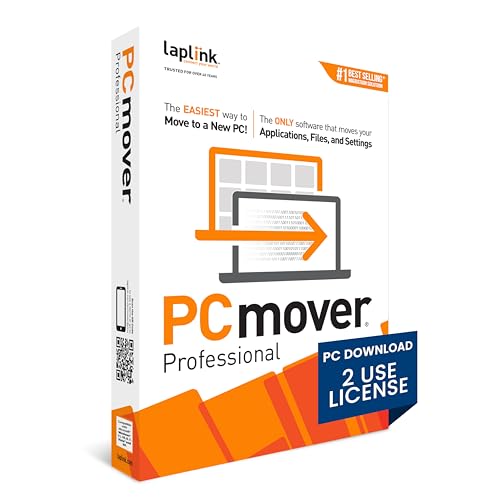
Product overview: This Instant Download option provides two uses, with an easy-to-follow wizard to transfer selections to the new PC. It supports automatic connection discovery and a simple “set it and forget it” workflow. Best for: Users who want a quick, guided migration with straightforward setup. Why chosen: Auto-connect features reduce manual steps and time during a typical migration.
Caution: Limited to two uses; plan licenses accordingly for larger teams or multiple machines.
Laplink PCmover Business Standard

Product overview: Business Standard offers flexible licensing with tiered transfers (1, 5, 10, or 25). It supports automatic migration of apps, profiles, files, and settings, with AI-assisted summaries. Best for: IT teams or small businesses planning scheduled migrations. Why chosen: Predictable budgeting with scalable licenses and broad migration capabilities.
Caution: Licensing tiers must align with deployment volume to avoid underutilized licenses.
Laplink PCmover Enterprise

Product overview: Enterprise edition supports automated migrations across complex environments, including cross-domain and Entra ID (Azure AD) profiles. It emphasizes no-scripting deployment and broad scalability for large organizations. Best for: IT departments handling enterprise hardware refreshes and zero-touch deployments. Why chosen: Enables automated, large-scale migrations without custom scripting, reducing admin burden.
Caution: Enterprise deployments may require more planning and licensing alignment for large device counts.
Buying Guide
What to consider when selecting PC migration software
- Use case: For individuals, software like Express or Professional suits simple migrations. For IT teams, Enterprise or Business Standard offers scalable licensing and automation.
- Licensing model: Single-use licenses are straightforward but may be costly for multi-PC moves. Tiered licenses provide budgeting predictability for organizations.
- Transfer methods: Wi-Fi Direct, USB, and Ethernet options affect speed and reliability. Choose based on network availability and PC hardware.
- AI-assisted features: AI insights help identify transferable items and streamline setup, but verify that they align with your migration goals.
- Data safety: Look for Secure Erase or data-wiping features if you’re retiring old devices.
- Compatibility: Ensure the software supports your operating system version and hardware constraints, especially for drive cloning or 4K-sector drives.
Practical questions to answer before buying
- How many PCs need migration now and in the near future?
- Do you prefer automatic IT processes or guided, user-driven migrations?
- Is drive cloning or cross-OS migration a requirement?
- What network infrastructure is available for transfers (Wi‑Fi Direct, Ethernet, USB)?
FAQ
- What is PCmover best used for? It transfers applications, files, and settings from an old PC to a new one, often with AI-assisted guidance and multiple transfer paths.
- Can I migrate more than one PC with a single license? Some editions allow multiple transfers per tier; verify licensing for your plan.
- Is Wi‑Fi Direct supported across all builds? Yes, many PCmover editions include Wi‑Fi Direct for faster connections.
- Does NTI Echo 7 support modern drives? Yes, it offers 4K-sector drive compatibility and dynamic resize during cloning.
- Do these tools require technical expertise? Most are designed for users with minimal technical knowledge, especially Express and Professional editions.
- Are there upgrade paths for enterprise deployments? Enterprise and Business Standard editions provide scalable options for organizations.