Direct, search-friendly CAD software picks for PC users who design homes, rooms, or technical drawings. This guide highlights five versatile options suitable for beginners and professionals alike, showing who each product best serves, why it stands out, and any notable limitations. Ideal buyers include homeowners planning remodels, interior designers, architects, and technicians who need reliable drafting and 2D/3D modeling capabilities.
| Product | Best For | Key Benefit |
|---|---|---|
| DreamPlan Home Design and Landscaping | Homeowners, DIY remodelers | Simple 3D floor plans with interior and exterior decoration |
| TurboCAD 2020 Designer | Budget-conscious drafters | 2D drafting with broad file support and easy sharing |
| TurboCAD 2022 Designer | Light residential designers | Architectural drawings with practical tools |
| Becker CAD 12 3D PRO | Professionals needing 2D/3D accuracy | Comprehensive CAD suite with DXF/DWG interchange |
| ViaCAD 2D v9 | Precision 2D drafting | Extensive toolset and accurate drawings |
DreamPlan Home Design and Landscaping Software

DreamPlan provides an approachable entry point for users who want to design 3D floor plans, lay out walls, multiple stories, decks, and roofs, and decorate interiors and exteriors. The software also supports landscape modeling, enabling simple terrain and plant placement. It is best for homeowners and hobbyists who want fast, visual results without steep learning curves. A limitation is that advanced rendering and professional-grade collaboration features are minimal compared with higher-end CAD suites. Use this if your priority is quick concept visualization for home projects.
TurboCAD 2020 Designer

TurboCAD 2020 Designer focuses on affordable 2D drafting with a broad set of drawing, modifying, dimensioning, and annotation tools. It supports common file formats like AutoCAD .DWG and .DXF, SketchUp .SKP, and can export to PDF. It’s a practical pick for students, makers, and small offices needing reliable 2D workflows and easy file sharing. A potential trade-off is that 3D features are more limited, making this best for 2D-centric projects or early concept work.
TurboCAD 2022 Designer
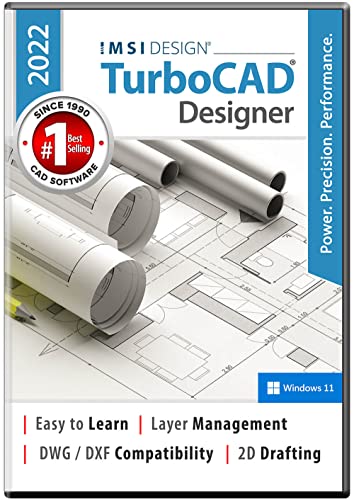
TurboCAD 2022 Designer expands to include architectural drawings, remodeling plans, and electrical diagrams. It’s a natural upgrade for users who want more robust capabilities without stepping up to high-end CAD suites. Choose this if you need a 2D/3D hybrid tool with practical architectural features and reasonable price. A limitation to note is that the depth of 3D modeling may still lag behind dedicated 3D CAD platforms for complex products.
Becker CAD 12 3D PRO

Becker CAD 12 3D PRO targets professionals needing a robust 2D/3D modeling solution. It supports import and export of DXF and DWG files, plus STL export for 3D printing. The suite emphasizes a broad toolbox with capabilities for precision work and 3D surface selection, aligning well with users who require AutoCAD-compatible workflows. Use this if interoperability with other CAD systems and 3D printing is critical. A caveat is that the interface can be more complex for beginners.
ViaCAD 2D v9 for Windows PC

ViaCAD 2D v9 offers over 275 drawing tools and strong precision features suitable for producing simple sketches to production-ready drawings. It emphasizes tool palettes that let users tailor their workspace and supports efficient workflows through arrays and multiple object creation options. Best for engineers and designers focusing on accurate 2D drafting. A potential limitation is that its 3D capabilities are not as extensive as some other packages in this list.
Buying Guide
Key considerations help match the right CAD software to your needs:
- Intended use: 2D drafting vs. 3D modeling. If you primarily draft floor plans and diagrams, 2D-focused tools may be enough. If you need 3D visualization or printing, prioritize 3D capabilities and export options.
- Interoperability: Look for DWG/DXF compatibility and easy import/export with other CAD programs to avoid file-locking issues.
- Ease of use vs. depth: Beginners benefit from intuitive interfaces; professionals may want advanced modeling tools and precise control.
- Platform and updates: Ensure Windows compatibility and check for regular updates, bug fixes, and feature additions.
- Support and learning resources: Availability of tutorials, forums, and documentation speeds up onboarding.
- File sharing and collaboration: If you work with teams, consider cloud options or collaborative features.
Practical comparison by scenario
- Best for homeowners visualizing remodels: DreamPlan, with easy interior/exterior decoration and landscaping features.
- Best budget 2D drafting: TurboCAD 2020 Designer, offering essential tools and broad file compatibility.
- Better for architectural sketches: TurboCAD 2022 Designer, adds remodeling and architectural drawing capabilities.
- Best for professionals needing AutoCAD interchange: Becker CAD 12 3D PRO, strong DXF/DWG support and 3D tooling.
- Best for precise 2D drafting: ViaCAD 2D v9, extensive 2D toolset and accurate dimensions.
Frequently Asked Questions
- What is the difference between 2D and 3D CAD software?
2D focuses on flat drawings and dimensions; 3D enables volumetric modeling and realistic visualization. - Which software supports AutoCAD file formats?
TurboCAD 2020 Designer and Becker CAD 12 3D PRO offer DWG/DXF compatibility. - Is a subscription needed for these programs?
All listed options are download purchases; some versions may offer perpetual licenses. - Who should use DreamPlan specifically?
Best for homeowners and remodel enthusiasts seeking quick concept layouts and landscaping. - Can these tools print 3D models?
Becker CAD 12 3D PRO supports 3D printing workflows via STL exports; others focus on drafting and visualization. - Do these apps require high-end hardware?
Most are usable on mid-range PCs, but complex 3D projects benefit from a capable GPU and sufficient RAM.