Answering your search for reliable MP3 editing software, this guide highlights five solid options that balance editing features, format support, and ease of use. Ideal buyers include hobbyists shaping podcasts, musicians editing tracks, or professionals converting media. The top picks emphasize versatile editing, audio effects, and broad compatibility, helping you choose the right tool for your workflow. Below is a quick summary of the selected products to compare at a glance.
| Product | Best For | Key Strength |
|---|---|---|
| WavePad Audio Editing Software (NCH) | Podcasting and music editing | Comprehensive effects and broad format support |
| Nero Recode | Format conversion and media harvesting | Wide format compatibility including HEVC/H.265 |
| Audio Converter – Edit & Convert | Audio file format conversion | All-round format handling with editing tools |
| Express Rip Free CD Ripper (NCH) | Ripping CDs to digital formats | Fast, high-quality extraction to WAV/MP4 |
| VideoPad Video Editor Free (NCH) | Video projects with audio editing | Video and audio editing in one package |
WavePad Audio Editing Software – Professional Editor
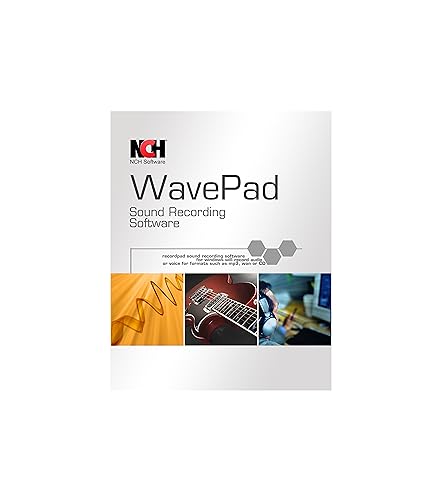
Product: WavePad Audio Editing Software – Professional Audio and Music Editor for Anyone. Brand: NCH Software. Features include recording and editing music, voice, and other audio, with effects such as echo, amplification, noise reduction, normalization, equalizer, envelope, reverb, and reverse. It supports popular formats including WAV, MP3, VOX, GSM, WMA, real audio, AU, AIF, FLAC, OGG, and more.
Best for: Home studios, podcasters, and musicians who need a full-featured editor with a wide range of effects.
Why selected: This option provides a robust set of editing tools in a single package and broad format compatibility, making it a practical all-rounder for everyday audio work.
Caution: Some advanced features are accessible via add-ons or separate tiers, which can affect the long-term cost of ownership.
Nero Recode – MP3 & MP4 Converter Suite

Product: Nero Recode | MP3 & MP4 Converter Software. Brand: Nero. Features include converting a wide range of formats, including MP4, AVI, MOV, MP3, WAV, FLAC, and more. It emphasizes 8K video processing with HEVC/H.265 support and the ability to rip DVDs and Blu-rays to digital formats.
Best for: Users who need a versatile media converter and extractor, especially for large video files and high-resolution media.
Why selected: Its broad format support and strong conversion capabilities make it a solid choice for users who handle both audio editing and media conversion workflows.
Caution: This tool centers on conversion; direct, in-depth audio editing features may be less prominent than dedicated editors.
Audio Converter – Edit And Convert
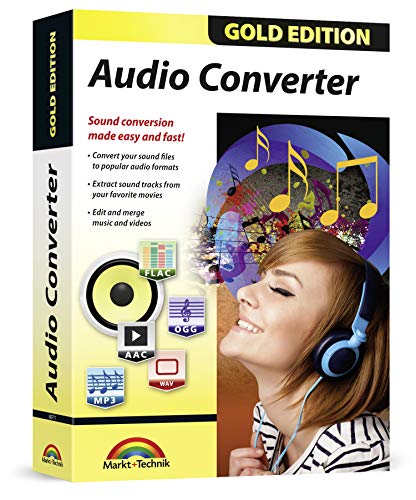
Product: Audio Converter – Edit and convert your sound and music files to other audio formats. Brand: Markt + Technik. Features include converting audio or video files into almost any format, editing, trimming, merging, adjusting sample and bit rate, and extracting audio from videos. Supported inputs include MP3, WAV, AAC, FLAC, M4A, and many more.
Best for: Users who need a single tool for both editing and converting a wide array of formats.
Why selected: Its range of input and output formats makes it a versatile hub for adjusting audio assets before editing or publishing.
Caution: The interface and workflow may feel less modern than newer editors, and advanced effects can be limited compared to premium editors.
Express Rip Free CD Ripper – Mac

Product: Express Rip Free CD Ripper Software – Extract Audio in Perfect Digital Quality. Brand: NCH Software. Features include fast CD ripping to WAV or MP4 with perfect digital extraction quality.
Best for: Anyone who frequently rips physical CDs to digital formats for editing or archiving.
Why selected: Speed and fidelity are emphasized, making it a practical pre-editing step for audio projects sourced from CDs.
Caution: It focuses on ripping rather than advanced editing capabilities, so use alongside a dedicated editor for full production workflows.
Pinnacle Studio 26 Ultimate – Video Editor

Product: Pinnacle Studio 26 Ultimate | Pro-Level Video Editing & Screen Recording Software. Brand: Corel. Features include advanced tools for HD, 4K, and 360 video editing, keyframe customization, color grading, green screen, multi-cam editing, and screen recording.
Best for: Users who need high-end video projects with integrated audio editing and effects.
Why selected: Combines strong video editing with audio handling, enabling synchronized audio workflows and professional production value.
Caution: This is a heavy program intended for robust video projects; lighter editing tasks might not require all features, impacting performance on less powerful PCs.
Video and Audio Downloader PRO – YouTube

Product: Video and Audio Downloader PRO 3 software for YouTube. Brand: Markt + Technik. Features include playlist download, customizable audio quality, and downloads in MP4 or MP3 formats, with high-speed performance and 4K/8K quality options.
Best for: Users who want to capture YouTube videos for offline editing or archival purposes.
Why selected: The ability to tailor audio quality and download formats supports flexible post-production workflows.
Caution: Downloader tools can raise concern about content rights; ensure proper usage in line with terms of service and local laws.
Buying Guide
What should you look for in MP3 editing software?
Consider the primary use case: podcasting, music production, or basic file conversion. Look for a balanced feature set including recording, editing, and effects, plus broad format support.
Which tools work best for editing and converting?
Simple editing needs can be met by WavePad or Audio Converter. If you regularly convert between many formats or extract audio from media, Nero Recode or Express Rip add value. For video projects with audio, VideoPad or Pinnacle Studio provides integrated workflows.
Format support and compatibility
Choose software that supports WAV, MP3, AAC, FLAC, and less common formats you encounter. If you need HEVC/H.265 support for video, Nero Recode stands out.
Ease of use vs. depth
Beginner users often benefit from straightforward editors with helpful presets. Power users may prefer feature-rich editors with extensive effects, multiple tracks, and advanced keyframing.
Platform and performance considerations
Most listed options run on Windows; check system requirements if you work on older PCs. Consider whether you need Mac support, or integrated video functionality for cross-media projects.
Pricing and upgrades
Many tools offer free trials or free editions with optional paid upgrades. Plan for long-term costs if you rely on advanced effects or multi-seat licenses.
How to choose the right combination?
For a complete workflow, pair a capable editor like WavePad with a strong converter like Nero Recode. If your project involves video, combine VideoPad or Pinnacle Studio with reliable audio editing, ensuring format compatibility across your pipeline.
FAQ
- Is WavePad suitable for podcast editing? Yes, it provides recording, editing, and effects suitable for podcast production.
- Can Nero Recode handle 8K video? It offers HEVC/H.265 support for high-resolution processing, including some 8K scenarios.
- Do these tools convert audio formats? Yes, several tools listed support broad input and output formats, enabling flexible asset management.
- Is ripping CDs necessary for editing? It can be a useful step to create source WAV or MP3 files before editing, depending on your workflow.
- Are there any risks with downloading from marketplaces? Ensure you follow licensing terms and respect content rights when downloading or converting media.
- Which tool is best for video plus audio editing? Video editing suites like Pinnacle Studio paired with an audio editor provide a strong end-to-end solution.