If you’re building a brand or refreshing a business look, logo maker software helps you design crisp, scalable logos without hiring a designer. This guide highlights five top tools ideal for small businesses, freelancers, and startups who need fast, professional results. Each pick targets different needs—template abundance, vector flexibility, or industry-specific assets—so you can choose what fits your workflow. The table below summarizes the strongest points of the chosen products to help you compare at a glance.
| Product | Brand | Best For |
|---|---|---|
| Logo Design Studio 4 [Download] | Summitsoft | Extensive templates and objects for quick logo creation |
| Logo Creator – Windows | Individual Software | Businesses needing corporate and website logos with templates |
| Logo Designer (Windows) [Download] | Individual Software | Fast logo creation for business cards and marketing materials |
| Logo Design Studio Pro Fashion & Retail | Summitsoft | Fashion and retail branding with royalty-free assets |
| Logo Art | Sweet Sugar | Simple, designer-style logos for branding needs |
Logo Design Studio 4 [Download] — Summitsoft

Best for: Creative teams and freelancers who want a broad toolkit of logo objects. The software includes over 1,500 customizable logo templates and more than 5,000 design objects, enabling rapid composition with high visual quality. It supports multiple export formats like JPEG, TIFF, PNG, PDF, and more, which helps teams hand off files to vendors or use them across channels. The large asset library makes it suitable for varied industries, from tech to hospitality.
Selection rationale: This option excels in template breadth and object variety, reducing design time while preserving professional appearance. It’s well-suited for users who repeatedly generate logos across client projects and need a flexible, scalable solution. A potential limitation is that large template pools can require time to navigate and organize, especially for new users.
Caution: Ensure your system supports the required file formats for export before purchase to avoid workflow gaps from missing formats.
Logo Creator – Windows

Best for: Businesses needing corporate and website logos with a strong library of templates. The software runs on Windows 11, 10, and 8, and includes templates tailored for corporate and organizational branding, plus extensive designer tools to customize logos for digital and print use.
Selection rationale: It’s a solid choice when you want a Windows-based tool with a focus on professional, business-centric logos. The comprehensive design tools help craft distinctive marks that align with a corporate identity. Limitation to consider: platform-exclusive software means Mac users would need a different solution.
Caution: While templates cover many corporate scenarios, verify the template styles align with your brand voice to avoid mismatched visuals later in campaigns.
Logo Designer (Windows) [Download]

Best for: Small businesses and entrepreneurs needing fast logo creation for business cards, brochures, and websites. This tool emphasizes quick production of professional logos and supports animated logo options for web use.
Selection rationale: The product’s emphasis on rapid results makes it advantageous for startups launching with limited design time. It’s particularly helpful for those who require logos suitable for a quick print or web rollout. Limitation: Animation features may be basic compared to more advanced animation platforms, if you need complex motion branding.
Caution: Check whether the logo files you export meet your brand’s print specifications (color profile, resolution) for consistent outputs across media.
Logo Design Studio Pro Fashion & Retail
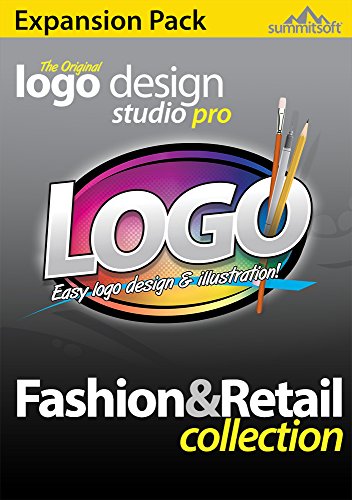
Best for: Fashion and retail branding with industry-specific assets. This expansion pack adds new logo objects and templates designed by professional artists. All objects and templates are royalty-free, with additional SVG objects for scalable vector editing.
Selection rationale: It’s ideal for brands seeking fashion-forward visuals and flexibility to edit vector objects. The expanded library accelerates design for seasonal campaigns and merchandising. Limitation to consider: It targets a niche—fashion/retail—so non-fashion brands may find some assets less relevant.
Caution: While SVG objects enable scalable edits, verify your editing workflow supports SVG compatibility to avoid format-related bottlenecks.
Logo Art

Best for: Small businesses seeking designer-style logos with minimal complexity. The product emphasizes designer logos and free professional branding options for quick setup of brand visuals.
Selection rationale: It’s a straightforward option for users who want polished logos without a steep learning curve. The simplicity helps avoid feature overload for newcomers. Limitation: Fewer advanced customization tools compared to heavier design suites may limit unique branding options.
Caution: As with any logo tool, ensure the final files meet your printer and web requirements (color profiles, file formats, and resolution).
Buying Guide: Logo Maker Software Essentials
- What is your primary use? Quick logos for social media, or scalable designs for print and embroidery? Choose templates and vector capabilities accordingly.
- Which export formats do you need? If your workflow includes web, print, and merchandise, prioritize formats like PNG, SVG, PDF, and EPS.
- Platform compatibility matters. If you’re on Windows, some options offer broader toolsets; Mac users may need alternative titles.
- Asset libraries vs. editing depth. A larger template library speeds up initial concepts, while deeper editing tools unlock unique branding fits.
- Royalties and licensing. Verify whether templates and objects are royalty-free or require attribution, especially for commercial use.
- Future-proofing. Consider whether the software supports vector export, scalable logos, and updates to keep up with design trends.
Frequently Asked Questions
- What is a logo maker software best for? It’s best for creating quick, professional logos without hiring a designer, with templates and editing tools to suit various branding needs.
- Do these tools export vector files? Some do (SVG, EPS) and some offer raster exports (PNG, JPEG). Check per product to ensure your needs for scaling are met.
- Are templates customizable? Most options provide customizable templates and a library of design objects; complexity varies by product.
- Can I use logos for commercial purposes? Licensing varies by asset; confirm royalty terms and intended use before finalizing a logo for products or marketing.
- Which is best for fashion branding? Tools with fashion-focused templates and royalty-free object libraries, like the Fashion & Retail expansion, are well-suited for apparel branding.
- Is a higher price indicative of better quality? Not always; it often reflects more assets or advanced features. Match price to your needed capabilities and workflow.