Protecting laptops and other devices across a home or small office requires a robust, multi-device security suite. This article highlights five top Amazon-listed products ideal for protecting laptops with features like real-time threat protection, VPNs, dark web monitoring, and cloud backup. Each entry explains who benefits most, why it’s a strong pick, and one practical limitation to consider.
| Product | Devices | Best For | Why It Stands Out |
|---|---|---|---|
| Bitdefender Total Security 2026 | 5 devices | Families needing cross‑platform protection | Cross‑platform security with VPN and deep ransomware defense. |
| Norton 360 Deluxe (5 Devices) | 5 devices | Comprehensive AI scam protection | AI-powered scam defense and broad monitoring features. |
| Norton 360 Premium (10 Devices) | 10 devices | Large households or small businesses | Expanded device coverage with strong privacy safeguards. |
| McAfee Total Protection 5 Devices | 5 devices | All‑in‑one protection with VPN | Integrated VPN and scam detection across platforms. |
| Webroot Internet Security Plus | 3 devices | Minimal system impact, cloud‑based protection | Fast scans and lightweight performance. |
Note: Each entry below uses the listed features to explain who should buy and why, along with a practical caveat. Use this guide to compare how well each option fits a typical laptop security need.
Bitdefender Total Security 2026

Best for households needing strong, cross‑platform protection. This suite supports Windows, Mac, iOS, and Android, combining multi‑layer malware and ransomware defense with safe online banking and a built‑in VPN. It also includes features such as phishing protection, password management, and parental controls to help families keep kids safe online. The package adapts to gaming and work modes for minimal disruption. Limitations include VPN data limits (200 MB per day in the standard plan) and potential overlap with other privacy tools you may already use.
Norton 360 Deluxe (5 Devices)

Best for users who want solid, ongoing protection for a small team or family on a budget. Norton 360 Deluxe provides ongoing protection for up to five devices with AI scam protection and VPN features for safer browsing. It emphasizes secure connections and monitoring to guard personal information. Limitation is that feature depth can vary by platform and device type, so verify coverage if you rely heavily on specific features like dark web monitoring across all devices.
Norton 360 Premium (10 Devices)

Best for larger households or small businesses needing extensive device coverage. Norton 360 Premium supports up to ten devices, with AI scam protection and a VPN for safer online activity. It is suited for users who want central management across multiple laptops, tablets, and phones. Consideration includes ensuring all critical devices stay within the subscription limit to avoid gaps in protection.
McAfee Total Protection 5 Devices
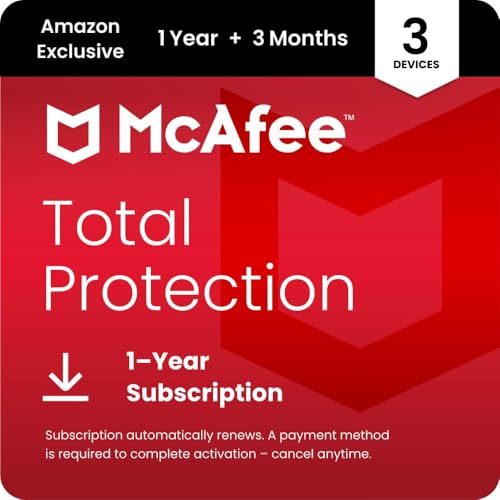
Best for users seeking an all‑in‑one security suite with broad device coverage and a usable privacy layer. McAfee Total Protection combines antivirus with a secure VPN and scam detection across platforms. It’s a straightforward choice for those who want a single service for multiple devices and simpler setup. Limitation is that some advanced privacy tools may be less customizable than dedicated privacy products, depending on your needs.
Webroot Internet Security Plus

Best for users who value speed and minimal system impact. Webroot uses a cloud‑based approach to deliver fast scans and low resource use while offering identity theft protection and anti‑phishing. It’s effective for older laptops or systems with limited RAM. Limitations include relying more on cloud processing, which may affect offline protection or require consistent internet access for full functionality.
Buying Guide: Key Purchase Considerations
- Devices and platforms: Count the number of laptops, desktops, tablets, and smartphones to protect. Choose a plan that covers all major OSes you use.
- Protection depth: Look for real‑time malware defense, ransomware protection, phishing filters, and secure VPN options. Consider whether you need parental controls or device‑to‑device backup.
- Impact on performance: Prioritize lightweight or cloud‑based engines if you have older hardware. Check whether the suite offers gaming or “quiet” modes for non‑interruptive use.
- Privacy and banking features: Evaluate the strength of VPNs, anti‑phishing tools, and safe banking modes. Confirm where data may be stored and how it’s encrypted.
- Management and support: For multi‑device setups, factor in centralized dashboards and easy activation codes or auto‑renewal policies. Consider customer support availability.
- Budget alignment: Compare multi‑device plans vs. single‑device options to determine overall value. Review renewal terms and feature changes over time.
Frequently Asked Questions
- What is the difference between antivirus and total security suites?
Answer: Antivirus focuses on detecting malware, while total security suites include extra features like VPN, password managers, parental controls, and identity protection. - Do I need VPN included in a security suite?
Answer: A VPN helps protect online privacy on public or shared networks and can add a layer of data encryption, but assess if a separate, trusted VPN is preferred for advanced needs. - How many devices should I protect with one plan?
Answer: Match the plan to your total number of laptops, desktops, tablets, and smartphones. Over‑ or under‑protection can create gaps or unnecessary cost. - Will these products slow down my laptop?
Answer: Modern suites are designed to minimize impact, but performance can vary by device age, OS, and usage. Look for options like gaming or silent modes to reduce disruption. - Is it better to buy a single‑vendor suite for all devices?
Answer: A single vendor often offers centralized management and consistent features, though evaluating per‑device needs ensures you don’t overpay for features you won’t use. - Can I use these products on multiple operating systems at once?
Answer: Yes, most modern suites support Windows, macOS, iOS, and Android, though some features may differ by platform.