Finding the right laptop for podcasting means prioritizing a quiet, reliable performance, decent processing power, enough RAM for multitasking, and good microphone handling or easy access to external mics. This guide highlights five strong options best suited for podcasters at various price points and needs. It targets creators who record or edit episodes, manage show notes, and collaborate online. Below, you’ll see who each model is best for and why it stands out for podcast workflows.
| Product | Key Strength For Podcasting |
|---|---|
| HP OmniBook 3 17.3″ | Large display and solid multitasking with long battery life |
| HP 15.6″ Complete Productivity | Balanced performance and storage for editing and projects |
| Apple MacBook Neo 13″ (A18 Pro) | AI-friendly features, strong app ecosystem and portability |
| ASUS 15″ FHD Chromebook | Budget-friendly, quick web-based podcast tasks |
| HP 14″ 2026 Edition | Hybrid Windows option with solid multitasking and storage |
HP OmniBook 3 17.3-Inch: Best For Studio-Style Setups

This 17.3-inch HP OmniBook 3 offers a Full HD IPS display and a Ryzen 3 30-series processor, with 8 GB RAM and a 512 GB SSD. Its wide 178-degree viewing angles support comfortable editing and note-taking during long recording sessions. The long battery life (up to 14 hours and 15 minutes) ensures uninterrupted sessions away from power outlets, while HP Fast Charge can quickly restore power between takes. Best for podcasters who want a large screen for script references and multiple editing windows, plus endurance for longer recording days.
Who it’s best for: creators who prefer a bigger display for reference materials, script cues, and multi-application workflows. Why selected: strong balance of CPU performance, ample RAM, speedy storage, and long battery life. Caution: the integrated Radeon 610M graphics are not a focus for audio work, so heavy gaming or GPU-accelerated tasks aren’t optimized on this model.
HP 15.6″ Laptop: Practical All‑Around For Podcasts

This model comes with 8 GB RAM and multiple storage options (128 GB UFS boot + 512 GB eMMC). A 15.6″ display makes script references easy to view during edits. It’s suited for podcasters who need solid multitasking with room to store project files locally or offline. The main advantage is a ready-to-use workflow with a balance of speed and capacity, making it a reliable mid-range choice.
Who it’s best for: podcasters who want reliable multitasking and local storage for audio projects. Why selected: ample memory and dual storage options support editing and file management. Caution: on very long editing sessions, the PC’s cooling and fan noise should be monitored in quiet environments.
Apple MacBook Neo 13″ A18 Pro: AI‑Enhanced Portability

The 13-inch MacBook Neo features the A18 Pro chip and 8 GB unified memory with a 512 GB SSD. It’s noted for AI-enabled features that can assist with note summarization and workspace productivity, plus a long battery life—up to 16 hours in some use cases. This makes it appealing for mobile podcasters who need strong performance while traveling and a compact, high-quality build.
Who it’s best for: Mac users needing portability and AI-assisted productivity. Why selected: strong software ecosystem, long battery life, and a capable processor for editing and multitasking. Caution: Apple’s ecosystem means preferred audio software may vary in compatibility across devices, so verify your typical tools before committing.
ASUS 15″ Chromebook: Budget-Forward For Quick Edits
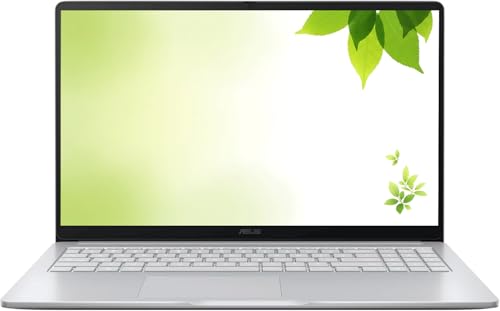
This renewed 15″ Chromebook emphasizes fast WiFi and a Chrome OS workflow, ideal for lightweight podcast tasks such as script drafting, show notes, and cloud-based audio editing or transcription. It’s best for budget-conscious podcasters who primarily rely on online tools and quick collaboration. Caution: Chromebooks can be limiting if your audio editing relies on Windows- or macOS-exclusive software.
HP 14″ Laptop 2026 Edition: Compact Powerhouse

This 14″ HP model combines a quad-core Intel N150 processor with 4 GB DDR5 RAM and 628 GB total storage (128 GB UFS plus 500 GB external). It offers good portability along with a substantial internal storage footprint for audio projects and backups. It also supports modern connectivity features for online recording and collaboration. Best for: podcasters who want a compact, all-purpose Windows machine with solid storage and multitasking ability. Caution: 4 GB RAM may be tight for heavier editing tasks or running multiple apps simultaneously.
Buying Guide — Key Considerations For Podcasting Laptops
When choosing a laptop for podcasting, consider these practical factors:
- CPU And RAM: Favor at least 8 GB RAM for smoother multitasking and audio editing, with a capable multi-core CPU for stable performance during recording and processing.
- Storage: Prefer solid-state storage (SSD) to speed up boot times, project loads, and file transfers. Larger capacities help store raw recordings and projects without external drives.
- Audio And Microphone Support: Look for laptops with decent built-in mics if you’re recording on the go, and ensure compatibility with external USB mics or audio interfaces for higher quality capture.
- Display And Keyboard: A comfortable keyboard and adequate screen real estate help when scripting, editing, and monitoring levels. A larger display can improve workflow efficiency.
- Battery Life: Long battery life reduces interruptions during studio sessions or remote work. Fast charging can help during short breaks in recording.
- Portability: Weight and size influence where you can record. Lighter models are easier for travel, while larger screens aid sitting-down editing.
- OS And Software Compatibility: Ensure your preferred audio editing software (DAWs, plugins, transcription tools) runs smoothly on Windows, macOS, or Chrome OS as needed.
FAQ
- What laptop features are most important for podcasting?
– A reliable CPU, at least 8 GB RAM, SSD storage, and solid mic compatibility or external mic support. - Is a larger screen beneficial for podcast editing?
– Yes, it helps manage multiple windows (recordings, waveforms, scripts) more comfortably. - Can I edit podcasts on a Chromebook?
– Basic editing can be done with web-based tools, but Windows/macOS options offer broader DAW support. - Do I need high-end GPU for podcasting?
– No. Podcasting mainly requires CPU, RAM, and storage; GPU is not a primary concern unless you do video-heavy production. - What is a safe storage setup for episodes?
– Use a primary SSD for system and active projects, plus a secondary external drive or cloud backup for archived episodes. - Which laptop is best for travel?
– The MacBook Neo 13″ or a compact Windows ultrabook offers portability without sacrificing performance.