Getting back lost iPhone data is the primary goal here. This guide highlights five top iPhone recovery tools designed for different needs—whether you’re a casual user trying to recover photos, a professional investigator gathering evidence, or a IT administrator restoring stored information. Each entry explains who it’s best for, why it was selected, and any practical limitations to consider. A quick summary helps you compare at a glance.
| Product | Brand | Best For | Notes |
|---|---|---|---|
| iRecovery Stick | Paraben Consumer Software | iPhone and iPad data recovery on-the-go | USB-only, leaves no device trace |
| Data Recovery Stick for Windows | Paraben Consumer Software | Windows-based file recovery across devices | Great first step for accidental deletions |
| Computer Forensics Tools Kit | Paraben Consumer Software | Integrated mobile and computer investigations | Multi-tool suite for professionals |
| Digital iOS and Android Data Recovery Stick | Spy-MAX | Cross-platform data recovery including hidden content | Includes porn detection feature |
| Paraben Data iRecovery Stick | Spy-MAX | iPhone/iPad deleted data and backups | Portable and easy to use |
The table above helps identify which product aligns with your situation. If you mainly need iPhone-specific recovery in a portable format, start with the iRecovery Stick. If you require broader device coverage and professional-grade forensics capabilities, the Computer Forensics Tools Kit is a strong option. For ongoing cross-platform needs, the Digital iOS and Android Data Recovery Stick broadens the scope beyond iPhone alone.
iRecovery Stick – iPhone Recovery Stick

Best for: Individuals who want a portable, USB-based recovery option for iPhone and iPad data. The iRecovery Stick extracts messages, call history, contacts, web history, calendar entries, photos, voice memos, email accounts, and map history directly from iOS devices without installing software on the device or computer. The device also supports search across the entire device via the iSearch function and lets users bookmark and export findings for reporting.
Why it’s selected: Its USB-only design reduces the risk of altering data on the source device. It’s a clear choice for investigative tasks or personal data recovery where portability and simplicity are priorities.
Caution: It relies on data present in backups or on-device data accessible through the stick; items deleted without a backup may not be recoverable.
Data Recovery Stick for Windows
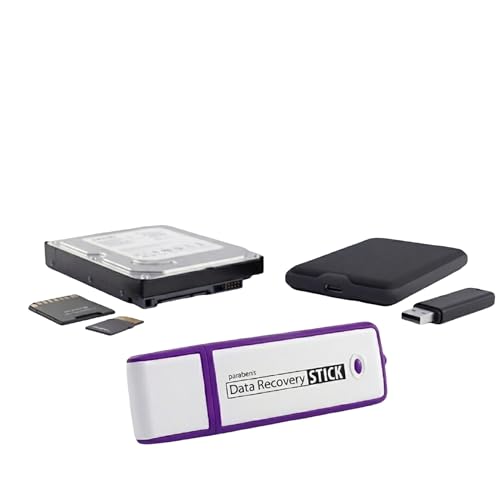
Best for: Windows users seeking a reliable first-step recovery tool for photos, documents, and other common file types after accidental deletion.
Why it’s selected: It supports a wide range of file types (JPG, BMP, PNG, TIFF, Office formats, PDFs, MP3s, Open Office, etc.) and works with hard drives, USB drives, SD cards, and other FAT/NTFS storage media. It’s a straightforward plug-and-play option that requires no technical skills.
Caution: A media reader may be required for micro SD cards and some mass storage devices; accidental overwrites can reduce effectiveness, so act quickly after deletion.
Computer Forensics Tools Kit

Best for: Professionals conducting mobile and computer investigations who need a comprehensive toolkit to collect, analyze, and manage evidence across multiple devices.
Why it’s selected: The kit combines iRecovery and Android recovery sticks with additional tools like SIM card analysis, data recovery, audio monitoring, and secure deletion — designed for end-to-end investigations in a single package.
Caution: This is a professional-grade kit; end users should understand relevant legal and privacy considerations before use.
Digital iOS and Android Data Recovery Stick
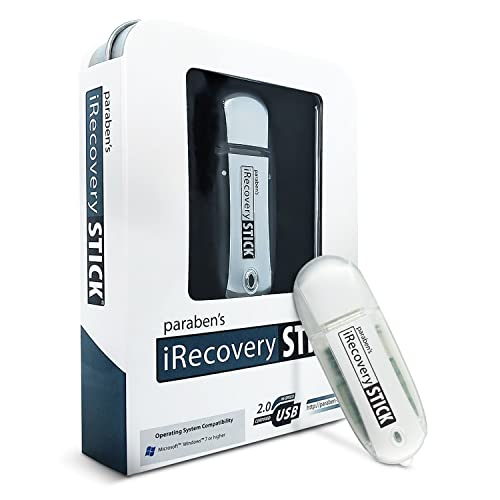
Best for: Users who need a cross-platform solution for recovering data from iOS devices, Android devices, or SIM cards, with ongoing updates and a comprehensive set of recovery options.
Why it’s selected: It provides an ultimate kit approach with five different sticks, including a Porn Detection feature and forensic-grade recovery for Windows systems. Free updates for life and no subscriptions offer long-term value.
Caution: The feature set includes advanced capabilities that may be more than needed for simple recoveries; for basic recovery tasks, lighter options may be more cost-effective.
Paraben Data iRecovery Stick for iPhone and iPad
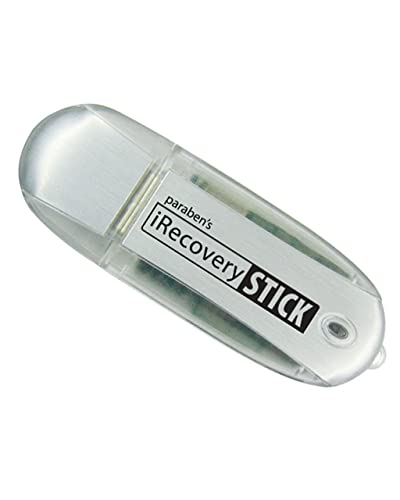
Best for: iPhone and iPad users who want deleted data recovery and backup capabilities on a portable, easy-to-use stick.
Why it’s selected: The iRecovery Stick from this line can retrieve, search, download, and discover hidden files and deleted data on iOS devices, including messages, voicemails, SMS, and contacts, with a simple plug-in approach for Windows.
Caution: Performance depends on device data availability; if content was permanently removed or not backed up, recovery may be limited.
Buying Guide
- Data scope: Decide whether you need iPhone-specific recovery or broader cross-platform support. For iPhone-only tasks, the standard iRecovery Stick offers portability; for wider coverage, consider the Digital iOS and Android kit.
- Interface and ease of use: USB-based sticks that plug-and-play are easiest for quick recoveries. Tools that require minimal installation reduce the risk of changing data on the original device.
- File types and data sources: Look for tools that recover photos, messages, contacts, call logs, and backups. If you rely on backups, ensure the product can extract from iPhone/iPad backups on Windows or Mac.
- Forensics and reporting: Professionals may prioritize kits with case management features, audit trails, and export options for documentation and legal use.
- Limitations: Be aware that deleted files without backups or securely wiped data may be unrecoverable. Some tools require specific media readers or compatible OS versions.
- Privacy and legality: Use these tools within applicable laws and organizational policies. Professional-grade kits may include sensitive monitoring features—use responsibly.
Frequently Asked Questions
- What is the primary use of iPhone recovery sticks? They provide portable, USB-based options to recover deleted or hidden data from iPhone and iPad devices, sometimes including backups and search features across the device.
- Can these tools recover data from a device without backups? Yes, some sticks can recover data directly from the device or from backups stored on a computer, but success depends on data availability and prior actions.
- Do these products require software installation on my computer? Many are designed to run from the USB stick itself, avoiding further software installation on the computer.
- Are these tools suitable for professional investigations? Some kits are designed for forensic and investigative use, offering multi-tool suites and reporting options suitable for professionals.
- Is there a risk of data alteration during recovery? USB-based recovery tools minimize this risk by not requiring software installation on the device, but always operate with caution and follow best practices for data integrity.
- Do these tools work with Android devices as well? Some options explicitly support iOS, Android, and SIM cards, providing cross-platform recovery capabilities.