Answering the need to convert invoices and other paper documents into searchable, shareable digital files, this guide highlights top scanning solutions. These picks are best for small businesses, freelancers, and offices that handle regular invoicing, receipts, and contracts. Each option emphasizes portability, easy setup, and reliable document handling. Below, compare five devices that pair well with invoice workflows and include a concise buyer’s table for quick reference.
Quick product snapshot
| Product | Brand | Best For | Notes |
|---|---|---|---|
| HP Small USB Document & Photo Scanner | HP | Mobile invoicing needs, light batches | Great portability; simplex scanning |
| Canon imageFORMULA R30 | Canon | Mixed-document types, batch processing | Auto Document Feeder, plug-and-scan |
| HP Compact Desktop Duplex USB Scanner | HP | Duplex invoices, small-to-medium batches | Two-sided scanning, portable design |
| Plustek Mobile Scanner S410 Plus | Plustek | On-the-go scanning with OCR | Button-free, BUS-powered |
| Alexandria Restaurant POS Software | Alexandria Computers | POS-integrated invoicing and inventory | USB flash drive delivery, full POS features |
HP Small USB Document Scanner For On‑The‑Go Invoicing

The HPPS100 is designed for lightweight, on-the-go invoicing and document capture. It delivers up to 15 pages per minute and supports 1200 dpi resolution for clear invoices and statements. Best for travelers, remote workers, or small offices needing fast, portable scanning. The device is compatible with both PC and Mac, enabling easy integration with common accounting and filing workflows. Plug-and-play setup aims to minimize time spent configuring software.
Who this is best for: freelancers, remote employees, and small teams that require a compact scanner to digitize invoices, receipts, and contracts while traveling. Limitations: simplex (one-sided) scanning may require manual handling for double-sided documents.
Canon imageFORMULA R30 Office Document Scanner

The R30 offers automatic document feeding and duplex scanning, making it well-suited for invoice-heavy workflows that require quick batch processing. It supports converting paper to searchable digital formats and handles various document types like invoices, contracts, and business cards. Setup is straightforward via USB, with no complex software installation required, which is ideal for shared office environments.
Who this is best for: small offices or freelancers who process mixed documents and want reliable, plug-and-scan operation. Limitations: may rely on external software for advanced OCR features or long-term archiving, depending on the setup.
HP Compact Desktop Duplex USB Scanner (HPPS200)

The HPPS200 is designed for faster, two-sided scanning and bulk invoice capture. With a 25 ppm rating, it speeds up processing of invoices, receipts, and contracts. It supports Windows and Mac environments and includes HP WorkScan software for streamlined document management. This model balances portability with higher-volume needs, making it a good fit for small offices that handle frequent invoices daily.
Who this is best for: small businesses that require duplex scanning and a compact desktop footprint. Limitations: dual-sided scanning may introduce a slightly higher setup complexity compared with single-sided models.
Plustek Mobile Scanner S410 Plus

The Plustek S410 Plus emphasizes portability with BUS-powered scanning. It offers button-free operation, which minimizes manual steps and reduces workflow friction for invoice-heavy tasks. It supports a range of documents from letters to business cards and includes OCR software for searchable outputs. The device excels for mobile professionals who need automated scanning with minimal interaction.
Who this is best for: mobile consultants, field-based teams, and travelers who require automated scanning on the go. Limitations: OCR quality depends on included software and may require updates for best results.
Alexandria Restaurant POS Software (Restaurant Maid)
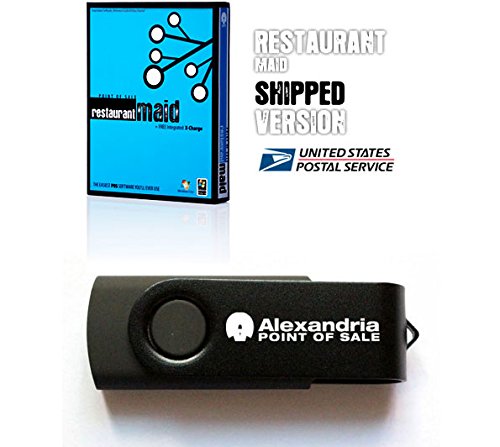
Alexandria Restaurant POS Software combines point-of-sale, inventory, and accounting features, including invoice and barcode functions. It ships on a USB flash drive for easy installation and supports foodservice workflows with kitchen messaging and reservations. This option is best for business owners who want an integrated system that links invoicing with inventory and payroll processes.
Who this is best for: small restaurant operations or cafes that want an all-in-one POS and invoice system. Limitations: primarily targeted at hospitality; other industries may require adaptations.
Buying Guide: How To Choose The Right Invoice Scanning Setup
What type of documents will you scan most often? If it’s invoices and receipts, prioritize models that offer fast speeds and reliable one- or two-sided scanning. For mixed-document workflows, consider feeders and OCR capabilities to organize outputs quickly.
- Document volume: Choose a scanner with a higher pages-per-minute rate and, if possible, a duplex option to accelerate two-sided invoices.
- Document types: Ensure the device handles common sizes (A4, Letter) and supports card-sized items if you also scan business cards or IDs.
- Software compatibility: Look for models that include or support OCR and export formats (PDF, searchable PDFs, JPG, etc.) to streamline accounting workflows.
- Portability vs. desk setup: If you need mobility, favor compact, USB-powered units. For a dedicated desk setup, a duplex-enabled desktop scanner can speed up large batches.
- Long-term workflow: Consider compatibility with your preferred accounting or document management software and whether the scanner’s software is easy to deploy across devices.
Frequently Asked Questions
- What is the advantage of duplex scanning for invoices?
Duplex scanning captures both sides of a page in a single pass, saving time when processing invoices with two-sided information.
- Do I need OCR software to search invoices after scanning?
Yes. OCR converts scanned images into searchable text, making it easier to locate invoices by date, vendor, or amount.
- Which connection type is best for reliability?
USB-connected scanners are generally straightforward and reliable for desktop use, while BUS-powered models avoid external power adapters for portability.
- Can I use these scanners with both Windows and Mac?
Most models listed support Windows and macOS, but check specific compatibility notes for your OS version and any required drivers.
- Is a dedicated desk scanner better than a portable one for invoicing?
For high-volume invoicing, a desktop model with a feeder and higher speed is typically more efficient; for travel, a portable unit is ideal.
- Should I choose a bundled software solution or a standalone scanner?
Bundled software simplifies setup and may include OCR and export tools, but ensure it meets your data workflow needs and updates are available.