Answering the common buyer question: which income tax software best fits a home filer, freelancer, or small business owner in 2026? This guide highlights five strong options, focusing on reliability, ease of use, and features like W-2/1099 import, state returns, and specialized support. Each product section explains who it’s best for and why it stands out, plus a practical caution. The included buying table helps compare key fit for different tax situations at a glance.
| Product | Best For |
|---|---|
| H&R Block Deluxe + State 2026 | Home filers needing guided support and cross-import |
| TurboTax Home & Business Desktop 2026 | Self-employed, freelancers, small businesses |
| TurboTax Deluxe Desktop 2026 | Homeowners with deductions and itemized returns |
| TurboTax Premier Desktop 2026 | Investors selling stocks/bonds and rental property |
| H&R Block Premium 2026 | Broader deduction needs with up-to-date guidance |
H&R Block Deluxe + State 2026
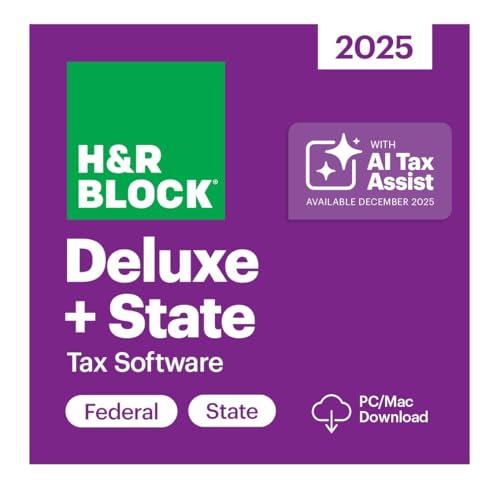
This package targets filers who want guided tax prep with smart, real-time guidance. The AI Tax Assist feature provides expert answers from start to finish, supporting step-by-step Q&A and import of W-2, 1099, 1098, and prior-year returns. It’s a strong choice for homeowners, parents, and those who value integrated help throughout the process. Best for users who favor an assistant-style workflow to reduce mistakes and speed up filing.
Why selected: It combines traditional deduction support with modern AI guidance and broad import capabilities, including past returns from other software. Caution: AI guidance can suggest actions that require user confirmation or professional review in complex situations.
TurboTax Home & Business Desktop Edition 2026

Designed for self-employed filers, freelancers, and small businesses, this desktop solution emphasizes business income and expenses. It supports Federal and State returns and requires Windows 11 or macOS Sonoma or newer. Best for independent workers who need robust guidance for business-related deductions and estimated taxes, with a focus on maximizing eligible deductions.
Why selected: Strong alignment with self-employed needs and integrated business-specific features. Caution: Windows 10 support is not available, and some users may prefer online or mobile access for ongoing bookkeeping.
TurboTax Deluxe Desktop Edition 2026

This edition is ideal for homeowners and filers who itemize deductions. It covers Federal and State returns and runs on Windows 11 or macOS Sonoma or newer. Best for those who need to claim homeownership deductions, charitable giving, and significant medical expenses while keeping the process straightforward.
Why selected: Clear focus on itemized deductions and home ownership scenarios. Caution: Windows 10 is unsupported, so verify your OS before purchasing.
H&R Block Premium 2026

Premium combines broader deduction support with AI-assisted guidance, ideal for filers who require more thorough analysis of W-2, 1099, and prior-year returns in a single package. It supports real-time expert answers and cross-imports from other software, which helps when consolidating multiple income streams or investments.
Why selected: Strong coverage for various deduction scenarios and enhanced import capabilities. Caution: Larger feature set may be more than one-caller needs; evaluate whether premium guidance aligns with your filing complexity.
Buying Guide
What should you consider when choosing income tax software?
First, assess your filing type. Home filers benefit from guided workflows and deduction prompts, while self-employed filers need solid business expense tracking and Schedule C support. If you own rental property or invest, look for programs with investment and rental property support, as well as stock sale reporting.
What about import and data compatibility?
Look for software that can import W-2s, 1099s, and prior-year returns from other programs. Cross-software import reduces manual data entry and potential errors. Some packages also import your prior TurboTax or Quicken data for continuity.
Which platform should you choose: desktop or online?
Desktop software generally offers robust feature sets and offline access, while online versions provide convenience and automatic updates. Desktop editions may require a compatible operating system (Windows 11 or macOS Sonoma or newer). If you prefer access from multiple devices, consider an online option or a product with cloud syncing.
What is the impact of state returns?
State tax filing can add complexity. Ensure the chosen software handles state returns for your state and supports e-filing where available. Some products include state e-file credits or separate state filing options, which can influence total cost and ease of use.
How to choose based on tax situations?
– Self-employed or small business owners: prioritize products labeled for Home & Business or Premium, with Schedule C support and expense tracking.
– Investors or rental property owners: pick Premier or Premium that address capital gains, rental income, and related deductions.
– Homeowners and itemizers: Deluxe or Premium that emphasize itemized deductions and home-related credits.
What are practical trade-offs to expect?
Higher-tier products often provide more guidance and import capabilities but can be more expensive or feature-heavy. For simple returns, a Deluxe or Deluxe-style package may suffice. Consider your comfort with tax rules and your need for live assistance or expert advice, which some options offer for an added fee.
How do you verify accuracy and support?
Check for AI-guided assistance, step-by-step Q&As, and access to tax professionals if included. Consider whether the software provides real-time review prompts and how easy it is to correct data entry mistakes before filing.
Quick FAQ
- Q: Is online access better than desktop for tax software?
A: Online access offers convenience and automatic updates, while desktop may provide robust features and offline use. - Q: Can I import past year data from other software?
A: Many options support W-2/1099 imports and import of prior-year returns; verify compatibility for your exact software. - Q: What should I do if I have complex investments?
A: Consider Deluxe with Premier options or the Premier edition that focuses on investments and rental properties. - Q: Do these programs support live tax advice?
A: Some versions include access to tax experts for an added fee; confirm availability in your chosen package. - Q: Are state returns included with federal filing?
A: Most packages cover both federal and state returns, though some features may be optional or require an additional state e-file. - Q: What if my OS is older than the required version?
A: If your computer cannot meet the minimum OS, you may need to upgrade or choose a version that supports your current system.