When selecting hard drives for video editing, look for high capacity, reliable performance, and good transfer speeds. This guide highlights drives suited for editors who work with 4K and higher resolutions, large project files, or fast scratch storage. The top picks favor larger capacities, sturdy build quality, and solid sustained transfer rates. Ideal buyers include freelance editors, small studios, and creators building fast local storage for editing workflows.
Summary of chosen products (quick reference):
| Product | Capacity | Best For | Key Benefit |
|---|---|---|---|
| Seagate BarraCuda 6TB Internal HDD | 6 TB | Desktop editors needing large, affordable capacity | Reliable BarraCuda performance for multi-purpose editing storage |
| Seagate BarraCuda 5TB Internal HDD | 5 TB | Budget-conscious setups with ample space | Versatile, dependable internal HDD option |
| WD Black 8TB Internal HDD | 8 TB | Creative pros and gamers needing high performance | Higher performance desktop storage for editing workflows |
| WD Elements 6TB External HDD | 6 TB | Plug-and-play external storage | Easy, portable expansion for non-myn cable setups |
| SanDisk Professional 8TB G-Drive | 8 TB | Mac-ready, enterprise-grade external storage | High-capacity, fast USB-C/USB compatibility for heavy projects |
Seagate BarraCuda 6TB Internal Hard Drive
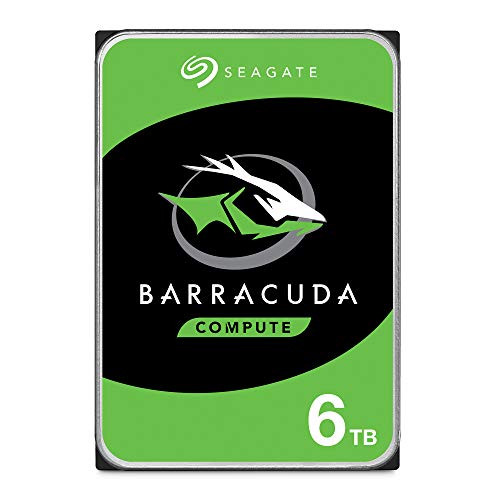
Brand: Seagate
Capacity and form: 6 TB, 3.5-inch SATA 6 Gb/s, 5400 RPM, 256 MB cache
What it’s best for: Desktop editors seeking substantial internal storage with reliable performance for video projects, music, photos, and gaming apps.
Why it’s selected: BarraCuda is a widely used, dependable option that balances capacity and cost, making it suitable as a primary editing drive or large scratch disk in a desktop setup.
Limitations: 5400 RPM drives have lower sustained transfer compared with 7200 RPM alternatives for high-bit-rate video work; consider pairing with a fast SSD for OS and caching if budget allows.
Seagate BarraCuda 5TB Internal Hard Drive

Brand: Seagate
Capacity and form: 5 TB, 2.5-inch SATA 6Gb/s, 5400 RPM, 128 MB cache
What it’s best for: Editors expanding internal storage on a desktop with a tighter budget or smaller workstation footprint.
Why it’s selected: A versatile BarraCuda option that delivers ample space for large video projects while staying cost-efficient for mid-range setups.
Limitations: Smaller form factor may not suit all desktops; verify mounting and interface compatibility with your system before purchasing.
WD Black 8TB Internal Hard Drive

Brand: Western Digital
Capacity and form: 8 TB, 3.5-inch SATA 6 Gb/s, 7200 RPM, 256 MB cache
What it’s best for: Creative professionals and power users who need higher sustained performance for editing large 4K projects or multi-track timelines.
Why it’s selected: WD Black drives emphasize performance, benefiting editors who require steady data throughput and quick project loading.
Limitations: Higher RPMs can translate to more heat and energy use; ensure adequate cooling in compact builds.
WD Elements 6TB External Desktop HDD

Brand: Western Digital
Capacity and form: 6 TB, USB 3.0 external drive
What it’s best for: Editors needing plug-and-play external storage for on-the-go editing or backup workflows.
Why it’s selected: Easy expansion without internal installation, suitable for portable editing setups or cross-workstation transfers.
Limitations: External drives can be less convenient for performance-critical scratch work if connected via slower USB versions; use USB-C or USB 3.2 Gen 2 when possible for faster transfer rates.
SanDisk Professional 8TB G-Drive
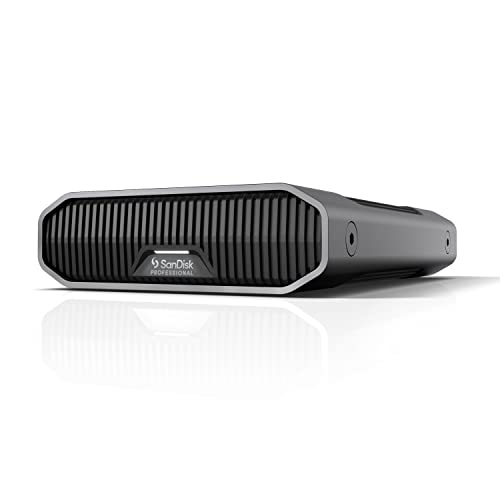
Brand: SanDisk Professional
Capacity and form: 8 TB, external desktop drive with USB-C and USB 3.2 Gen 2
What it’s best for: Mac-ready workflows and enterprise-grade external storage with solid capacity for editing large files.
Why it’s selected: High-capacity external storage that integrates well with professional editing setups, especially on macOS, and is easily reformatted for Windows if needed.
Limitations: External drives may require careful cable and connector management for optimal performance on laptops or compact workstations.
Buying Guide: Key Considerations for Video Editing Storage
- For 4K or higher editing, aim for 6 TB or more per internal drive to reduce project fragmentation and keep media files organized.
- Internal HDDs are cost-effective for large libraries; external drives offer portability and quick setup for on-site projects.
- Higher RPM (7200) provides better sustained transfer; larger caches help with playback of high-bitrate media.
- SATA is common for desktops; USB-C/USB 3.2 Gen 2 external drives deliver faster transfers to laptops and workstations.
- Enterprise-class or professional lines tend to offer longer durability for ongoing projects and backups.
- Consider pairing a fast SSD for OS/PR editing cache with larger HDDs for media storage to optimize performance.
FAQ
- What capacity should I choose for 4K editing? Start with at least 6 TB for a primary media drive, and consider additional backups on separate drives.
- Is an external drive good for editing? Yes, external drives are convenient for portable workflows and backups, but ensure fast interfaces (USB-C/USB 3.2) for real-time editing.
- Is 5400 RPM acceptable for video editing? It can work for archiving and secondary storage, but 7200 RPM drives offer better sustained transfer speeds for active projects.
- Should I use multiple drives? Splitting media across drives can improve organization and performance, with a separate drive for scratch/cache.
- What about SSDs for video editing? SSDs provide faster random access and caching; use them for OS, applications, and active project files when possible.
- Can I mix brands? Yes, but ensure compatible interfaces and balanced performance across your editing rig to avoid bottlenecks.