Whether you’re a hobbyist, a student, or a professional, the right editing software can transform your images and videos. This guide highlights five top PC editing options, covering photo editing, graphic design, and AI-powered enhancements. Each pick is best for a specific use case, from beginner-friendly editors to professional-grade suites. Use the summary table to compare core strengths and decide which tool aligns with your workflow and goals.
| Product | Best For | Key Benefit | Format |
|---|---|---|---|
| Adobe Lightroom 1TB | Photographers | AI-assisted editing with Generative Remove | Subscription |
| PhotoPad Photo Editor | Casual Editors | Simple, quick edits and sharing | One-time |
| GIMP Photo Editor | Budget-Conscious Pros | Lifetime license, Photoshop-compatible | |
| Corel PaintShop Pro 2023 Ultimate | Creative Designers | All-in-one photo and graphic design suite | |
| CyberLink PhotoDirector 2026 | AI-Powered Photo Edits | Generative AI tools and easy retouching |
Adobe Lightroom 1TB | AI-Assisted Photo Editor

Best for: Professional photographers who want streamlined desktop, mobile, and web editing with AI-driven suggestions. This package includes Lightroom on multiple platforms and Lightroom Classic for desktop-focused workflows. Quick Actions offer tailored suggestions to achieve consistent looks across batches. Generative Remove, powered by Adobe Firefly, helps clear distractions with a single click.
Why selected: It combines cloud-based workflow with powerful AI-assisted editing, enabling rapid edits and non-destructive adjustments across devices. The Generative Remove feature is a clear advantage for editors working with set or travel photos that suffer from background clutter.
Limitation: The subscription model means ongoing costs compared to perpetual licenses. Some advanced features require online access.
PhotoPad Photo Editing and Image Editor Free [PC Download]

Best for: Casual editors and hobbyists who want straightforward edits without a steep learning curve. Features include essential photo adjustments, cropping, resizing, and adding text or frames for quick sharing.
Why selected: It covers core photo-editing needs with a simple interface, making it a good entry point for users who don’t need advanced effects or professional-grade tools.
Limitation: Fewer professional-grade features and AI enhancements compared to higher-end suites; may lack robust RAW processing for advanced photographers.
GIMP Photo Editor 2026 | Lifetime Licence

Best for: Professionals and students who want a Photoshop-compatible, no-subscription tool with a lifetime license. It supports multiple file formats and robust manipulation features.
Why selected: GIMP is a powerful, no-monthly-fee option that supports layers, masks, and an extensive toolset, with broad format compatibility and ongoing free updates.
Caution: The interface and workflows can be less intuitive for new users compared with polished commercial editors; onboarding may require time.
Corel PaintShop Pro 2023 Ultimate
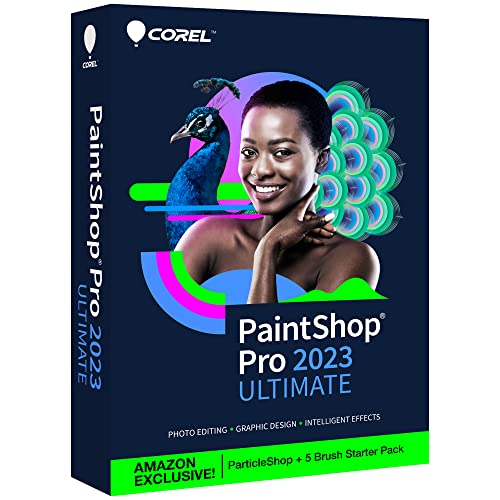
Best for: Creators who want a comprehensive suite combining photo editing with design and painting capabilities. Includes AI-powered tools and a broad set of creative features.
Why selected: It offers an all-in-one experience with advanced editing, RAW processing, batch work, and the Corel Creative Collection, enabling productivity across photo and graphic design tasks.
Caution: Desktop-focused with a rich feature set; may require more time to learn for newcomers but pays off for multi-discipline projects.
CyberLink PowerDirector & PhotoDirector 2026
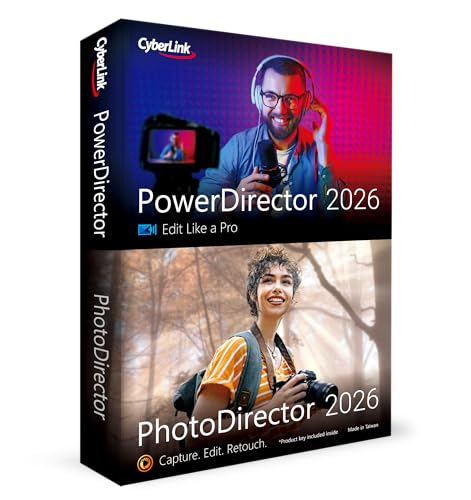
Best for: Creators seeking AI-assisted photo and video editing in one package. Integrates AI-driven actions, batch editing, and face retouching to streamline workflows.
Why selected: Combines robust photo editing with AI-enhanced video capabilities, making it an attractive option for mixed media projects and YouTube creators who need efficient AI-assisted enhancements.
Caution: Box with download code requires installation; performance depends on PC specifications and may benefit from a capable GPU for best results.
CyberLink PowerDirector 2026

Best for: Video editors who want AI-driven color adjustments, screen capture, and advanced transitions. Suitable for content creators focusing on videos and tutorials.
Why selected: The package emphasizes video workflows with enhanced screen recording, color improvements, and frame interpolation to sharpen motion sequences.
Caution: Primarily strong in video; some users may prefer separate, specialized photo editors for deep image manipulation.
CorelDRAW Graphics Suite 2026 Education Edition
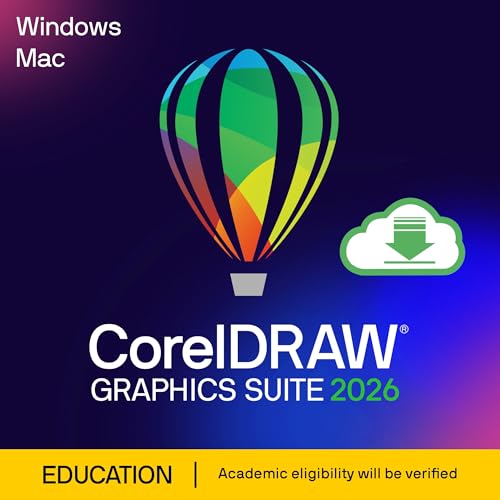
Best for: Students and educators seeking a comprehensive vector, layout, and image editing toolset. Includes text-to-image AI features and a broad creative suite.
Why selected: It combines professional graphics tools with AI-assisted generation and background removal, enabling classroom or academic-style project workflows.
Caution: Education edition is typically restricted to eligible academic users; users outside those categories should verify license terms.
CyberLink PhotoDirector 2026

Best for: Photographers who want AI-powered retouching, object removal, and layer-based editing in one app. Great for clean, polished outdoor or portrait photography.
Why selected: Features AI object removal, face retouching, and wire removal to streamline clutter-free edits, making it a strong choice for event and outdoor photography workflows.
Caution: Advanced features may require some learning time to maximize benefits; performance depends on hardware and software compatibility.
Buying Guide
- What should I consider before buying editing software for PC?
- Do I need a subscription or a perpetual license?
- Which tools are essential for my type of work (photo editing, video, or design)?
- How important are AI features like automatic retouching or background removal to my workflow?
- Is cross-platform syncing important for my device setup?
Key purchase considerations:
- Workflow fit: Photographers may prioritize non-destructive edits and cloud syncing; designers may need vector tools and layout capabilities; video editors often require powerful color correction and rendering.
- Learning curve: Some suites offer a broad feature set with a longer ramp-up; others emphasize simplicity and quick results.
- Licensing model: Evaluate if a lifetime license or recurring subscription aligns with your budget and long-term use.
- System requirements: Ensure your PC meets the recommended specs for AI features and HDR workflows.
- Compatibility: Check file-format support and whether the software handles RAW formats and PSD-like layers smoothly.
FAQ
- What is the best all-in-one editing suite for PC beginners?
– A beginner-friendly option typically emphasizes an intuitive interface, guided edits, and helpful tutorials; PhotoPad and CyberLink PhotoDirector’s entry features target newcomers while offering room to grow. - Are AI features essential for photo editing?
– AI features can speed up editing, but are optional. They’re handy for batch adjustments, object removal, and automated enhancements, though traditional tools remain crucial for precise control. - Is a subscription necessary for Lightroom?
– Lightroom is offered as a subscription with cloud-based sync across devices; consider a perpetual-license alternative if you prefer no ongoing payments. - Can I use these tools for video editing as well as photos?
– Some tools integrate photo and video editing (for example, CyberLink PowerDirector & PhotoDirector), while others focus primarily on photos. Choose based on your dual needs. - Will these programs run on older PCs?
– Older hardware may struggle with AI processing and high-resolution workflows. Check minimum and recommended specs before purchasing. - Do these products work on both PC and Mac?
– Several titles offer cross-platform access or separate Mac versions; verify platform availability in each product listing if you use multiple operating systems.