Answering the buyer’s search: choose software that can reliably copy, burn, and back up DVDs on Windows, with clear menus, robust data protection, and easy extraction of audio or video content. This guide highlights five top options ideal for different needs—from casual home archiving to more advanced disc authoring. The top picks target media collectors, families preserving memories, and small offices needing dependable backups. The table below compares the core capabilities to help you decide quickly.
| Product | Best For | Key Benefit |
|---|---|---|
| Corel Easy CD & DVD Burning 2 (Disc) | Casual power users | All-in-one burning and video capture with disc authoring |
| Nero Burning ROM 2026 | Reliable data and audio projects | Solid burning engine with menus, ripping, and data protection |
| Burning Suite – Markt + Technik | All-around media tasks | Data, music, video, and archiving on one platform |
| Burning Studio 27 | All-in-one burning and audio ripping | Studio-quality ripping and car-optimized formats |
| Nero Burn Express 4 | Fast copying and backups | Fast burn, rip, and password-protected backups |
Corel Easy CD & DVD Burning 2 | Disc Burner & Video Capture
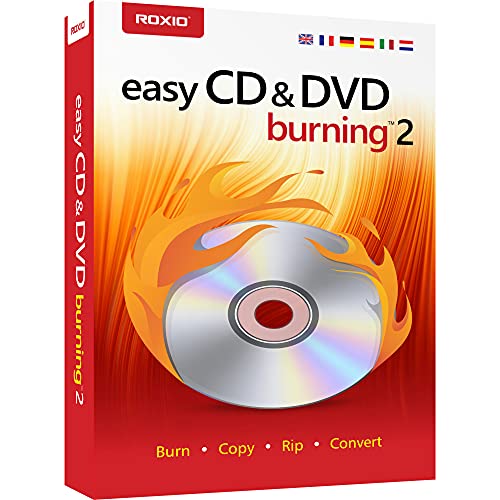
Features include straightforward CD and DVD copying from a desktop, photo preservation, and secure video backups. It can author DVDs with chapters and menus and can convert various formats to digital audio. This product suits users who want a single, accessible tool for both burning and media capture. Best for: home users who want simple disc creation with some multimedia capture capabilities. Limitation: may not offer advanced cloning features found in high-end suites.
Nero Burning ROM 2026 | CD/DVD/Blu-ray Burner

Best for reliable data and multimedia discs, Nero Burning ROM 2026 emphasizes a strong burning engine, easy data storage, video disc authoring with menus and chapters, and audio CD ripping to formats like MP3 or WAV. It’s well-suited for users who regularly create mixed-media discs and need dependable backups. Caution: interface depth may require a learning curve for new users.
Burning Suite – Markt + Technik

All-in-one solution for data, music, and video burning with emphasis on long-term data storage. It highlights easy archiving and format accessibility across devices. Best for: users who want consolidated tools for multiple disc types. Limitation: may require attention to format compatibility across devices and players.
Burning Studio 27 – Burn, Copy, Save

Offers all-in-one burning, copying, and saving with features like covers and disc labeling. Includes cross-format support for data, video, and audio, plus options for car audio optimization. Best for: home users who want a well-rounded burning suite with media organization features. Caution: some advanced features are marketed but may require additional setup to achieve optimum results.
Nero Burn Express 4

Focuses on fast disc burning and copying with data protection and easy rip/convert capabilities. It’s suitable for users who need quick turnaround on project discs and secure backups. Best for: individuals prioritizing speed and straightforward data protection. Limitation: fewer advanced authoring features compared to premium Nero bundles.
Buying Guide
What features matter most when selecting DVD copy software?
- Burning speed and reliability: Look for a robust burning engine that minimizes coaster discs and data errors.
- Media types supported: Ensure compatibility with CD, DVD, and Blu-ray formats, plus ability to rip and convert audio/video.
- Disc authoring capabilities: If you want menus, chapters, and labels, verify available templates and customization options.
- Data safety: Password protection and secure backups protect important files from unauthorized access.
- Ease of use vs. advanced features: Balance a friendly interface with any required advanced tools for power users.
- Platform compatibility: Confirm Windows versions supported (e.g., Windows 11/10/8/7).
Recommended combinations depend on user needs. For casual home use with media capture, Corel Easy CD & DVD Burning 2 (Disc) offers integrated capture and disc authoring. For reliable data and multimedia projects, Nero Burning ROM 2026 and Nero Burn Express 4 provide strong burning engines with ripping and protection. For a consolidated suite that handles multiple tasks, Burning Suite by Markt + Technik is a versatile option. Finally, Burning Studio 27 delivers all-around functionality with advanced audio ripping and car-optimized formats.
Frequently Asked Questions
- What is the best DVD copy software for beginners?
Corel Easy CD & DVD Burning 2 (Disc) offers straightforward copying and simple authoring features. - Can these programs copy Blu-ray discs?
Some programs support Blu-ray copying or burning; verify the specific product features for Blu-ray compatibility. - Do these tools include password-protected backups?
Several options, like Nero Burn Express 4, include data protection features for backups. - Is it necessary to rip audio CDs before burning?
Ripping to digital formats (MP3, WAV) is common and supported by most listed tools. - Are there any limitations on free or trial versions?
Some brands offer trial access or limited features; check the product page for specifics. - Which option is best for archival quality disks?
AZO-dye-based Verbatim blank discs are well regarded for archival quality, though this is media, not software.