Looking for reliable DVD burning software? This guide highlights five strong options ideal for creating data discs, music CDs, and video DVDs. It is aimed at beginners who want simple, dependable tools, as well as power users who need more advanced features like disc menus, encryption, or audio digitization. The selected products cover core disc burning, video authoring, and data preservation. The buyer’s intent is to find practical, install-once solutions that make disc creation straightforward and scalable across personal or small office needs.
Summary of chosen products
| Product | Best For | Key Benefit | Limitations |
|---|---|---|---|
| Nero Burning ROM 2026 | Data backups and multimedia discs | Robust burning, encryption options, and reliable data preservation | More advanced features may require a learning curve |
| Corel Easy CD & DVD Burning 2 (Disc Burner & Video Capture) | All-in-one burning and video capture | Author DVDs with chapters and menus, plus media conversion | Interface can feel dense for first-time users |
| Corel Easy CD & DVD Burning 2 (PC Download) | Digital copies and audio CDs | Desktop burning with robust media conversion | PC download variant may require activation |
| Roxio Creator NXT 9 | Multimedia suite with disc burning | Extensive apps for capture, edit, and burning in one package | Higher price and larger install footprint |
| Burning Studio 27 (Markt + Technik) | All-in-one burning and media handling | Includes covers, labels, and high-speed burning | Feature depth may overwhelm casual users |
Nero Burning ROM 2026

Best for secure data discs and multimedia projects. Nero Burning ROM 2026 supports burning and copying CDs and DVDs with ease, creating audio discs, and digitizing physical media. It also offers data encryption and long-term archiving features. This is well-suited for anyone who prioritizes reliable backups and multimedia disc creation in a single workflow. A potential limitation is that its broad feature set may have a learning curve for new users.
Nero Burning ROM 2026 – Pro Edition

Best for advanced users needing encryption and secure archiving. This edition emphasizes secure discs with 256-bit encryption, password protection, and digital signatures, alongside standard burning and ripping capabilities. Choose this if you require stronger protection for sensitive files. A caution: the advanced security features may require additional setup and familiarity with Nero’s interface.
Corel Easy CD & DVD Burning 2 (Disc Burner & Video Capture)
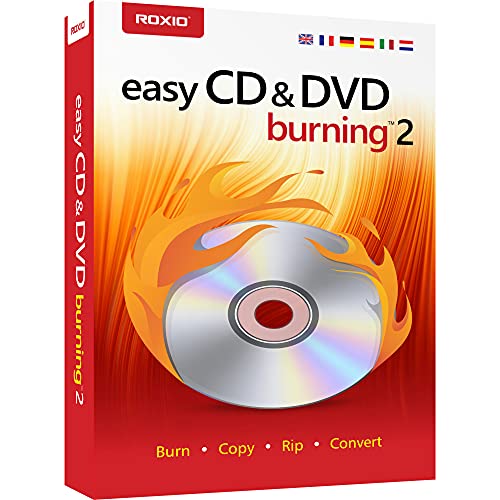
Best for all-in-one burning and video capture from desktop. This Corel solution allows copying and burning CDs and DVDs, capturing or importing videos, and authoring DVDs with chapters, menus, and labels. It’s ideal for home video projects and personalized disc creation. A limitation is that features like video capture and menu authoring may require more CPU and memory, so performance can vary by system.
Corel Easy CD & DVD Burning 2 (PC Download)
Best for direct download and media conversion. Similar to the disc version, this option emphasizes quick installation and burning while enabling conversion of CDs, LPs, and cassettes to digital formats. Choose this if you prefer a downloadable license with straightforward activation. A caution: the PC download version relies on your system’s download and installation performance.
Roxio Creator NXT 9

Best for a comprehensive multimedia suite with burning. Roxio Creator NXT 9 bundles more than twenty applications to capture, edit, and convert video, photo, audio, and data, plus disc burning and DVD authoring. It’s a strong pick for users who want an integrated workflow. A limitation is its larger footprint and potentially higher cost relative to simpler burners.
Burning Studio 27 (Markt + Technik)

Best for all-in-one burning with labels and covers. This studio offers CD/DVD/Blu-ray burning, data, music, and video handling, plus tools for creating disk labels and inlays. It is well-suited for users who value finished product presentation. A note: the feature set can be broad, so some features may be underutilized by casual users.
Buying Guide
What should you look for when choosing DVD burning software?
- Purpose: Do you need data backups, audio CDs, or video DVD authoring with menus?
- Ease of use: Is the interface friendly for beginners, or do you prefer a feature-rich environment?
- Media formats: Ensure the software supports your preferred formats for burning and ripping (CD, DVD, Blu-ray, MP3, FLAC, etc.).
- Security: If you need encrypted backups, look for SecurDisc or similar protections.
- System impact: Consider CPU, RAM, and disk space requirements for multi-application suites.
- Output quality: For video DVDs, check menu options, chapters, and label customization.
How to choose among the options?
- Best for secure backups and long-term archiving: Nero Burning ROM 2026 or Nero Pro Edition.
- Best for video-heavy projects with menus: Corel Easy CD & DVD Burning 2 or Roxio Creator NXT 9.
- Best value for all-in-one functionality: Burning Studio 27 or Burning Suite from Markt + Technik.
What’s the impact of license type?
- Lifetime licenses offer ongoing use without periodic renewals, but check for platform compatibility.
- PC download variants may require activation and internet access during setup.
Practical tips for using DVD burning software
- Create a test disc to confirm compatibility with your player or drive before burning important content.
- Keep a clean project folder to minimize data loss if a burn fails.
- Regularly update software to access security patches and new features.
FAQ
- What is the best software for data backups? Nero Burning ROM 2026 is a strong choice due to reliable burning and security features.
- Can I author video DVDs with menus? Yes, options like Corel Easy CD & DVD Burning 2 support menus and chapters.
- Is a multimedia suite worth it? If you need editing and capture tools in addition to burning, Roxio Creator NXT 9 is a solid all-in-one.
- Do these programs support Blu-ray discs? Some do, but verify Blu-ray support in the product specs before purchase.
- Are these programs easy for beginners? Corel and Nero offer user-friendly interfaces, but advanced features may require time to learn.
- Do I need a perpetual license? For long-term use, a lifetime license is advantageous, provided it suits your OS and hardware.