When you search for disk imaging software, you’re looking for reliable, safe, and fast cloning or backup tools. This guide highlights five strong options and explains who each is best for. Whether you’re upgrading a drive, safeguarding a PC, or conducting forensic data work, choose a solution that matches your drive type, recovery needs, and workflow.
Buyer snapshot table: Selected products
| Product | Best For | Why It Stands Out | |
|---|---|---|---|
| NTI Echo 7 | Disk Cloning & Migration | Upgrade/migrate to larger or smaller drives | 4K-sector drive compatibility and automatic dynamic resize simplify upgrades. |
| O&O DiskImage 21 Premium | Disk imaging & backup | Windows backups with recovery and reinstall avoidance | Reliable data protection and fast system recovery features. |
| Laplink DiskImage | Full PC backup & imaging | Comprehensive PC protection | Automation and complete system backups for easy recovery. |
| Digital Evidence & Forensics Boot CD | Forensic imaging & recovery | Forensic-grade data preservation | Bit-by-bit cloning and malware analysis tools for investigations. |
| Disk Drive Cloning Tools CD (LinuxFreak) | Bootable cloning & imaging | Disk cloning from a live boot | Bootable toolkit with network backup and restore options. |
NTI Echo 7 Disk Cloning & Migration Software

NTI Echo 7 is designed for users upgrading or migrating to newer drives. Features include 4K-sector drive compatibility, allowing clones between legacy and modern drives in either direction. Enhanced file/folder exclusion helps maximize available space on the target drive. Automatic Dynamic Resize adjusts partitions automatically when cloning to drives of different sizes, reducing manual setup.
Best for: Tech users planning a drive upgrade or migration without tedious partition work. Why chosen: It directly addresses common migration pain points with smart resizing and cross-sector support.
Caution: Ensure your target drive capacity matches your needs, as some setups may require manual tweaks for complex partitions.
O&O DiskImage 21 Premium
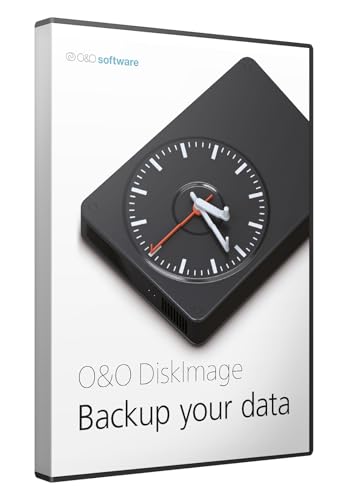
O&O DiskImage 21 Premium offers reliable Windows backups with system recovery and the ability to save reinstall time. It emphasizes data protection and fast restoration, which is ideal for users who need to quickly recover a system after data loss or hardware changes.
Best for: Windows users who want solid backup and rapid recovery workflows. Why chosen: It emphasizes dependable protection and fast restoration paths.
Caution: User experience can vary with larger backups; ensure you test restore operations in a controlled scenario.
Laplink DiskImage

Laplink DiskImage provides full PC backup and disk imaging with features like app- and settings-included backups, system recovery after crashes or hardware changes, and automated backup scheduling. It is well-suited for users seeking comprehensive protection with routine, automated captures.
Best for: Users needing complete PC protection with automation. Why chosen: It covers full-system backups and regular recovery workflows.
Caution: For very large drives or networked environments, verify your network performance during automated backups.
Digital Evidence & Forensics Boot CD
Digital Eyes Forensic Technologies offers a bootable CD for forensic data recovery, drive imaging, and malware analysis. It enables bit-for-bit replicas and evidence-preserving imaging suitable for investigations and legal contexts.
Best for: Investigators and IT professionals performing forensic imaging. Why chosen: It emphasizes preserving evidence integrity and includes specialized recovery tools.
Caution: This tool is specialized; for routine backups, a broader imaging solution may be more efficient.
Disk Drive Cloning Tools CD (LinuxFreak)

Disk Drive Cloning Tools CD is a bootable collection designed for cloning, imaging, backing up, and restoring disks and partitions. It supports network connectivity for quick backups and restores to a server or drive. This tool is best for users who want a portable, bootable imaging suite.
Best for: Tech-savvy users who need a bootable, portable imaging toolkit. Why chosen: Its bootable nature and network capabilities provide flexible deployment.
Caution: Boot media requires compatible hardware and BIOS/UEFI settings for first-time use.
Buying Guide
What should I consider when choosing disk imaging software?
Drive type compatibility matters. Some tools support both legacy 512-byte and modern 4K-sector drives, affecting compatibility and cloning success.
Backup vs. clone approach. Cloning creates an exact copy for migration, while imaging creates a restoreable snapshot for backups. Your use case determines the best fit.
Automation and scheduling. If you want ongoing protection, look for scheduled backups or automated cloning options to minimize manual work.
Recovery workflow. Consider how quickly you can restore from a image or clone and whether the solution supports testing restores without impacting the primary system.
Bootability and recovery environments. Bootable media (CD/USB) can be crucial for system recovery when the OS cannot boot.
Specialized needs. Forensic imaging requires preserving metadata and chain-of-custody features, while consumer backups emphasize speed and ease of use.
How do I compare these products?
Compare based on drive compatibility, ease of use, restoration speed, and automation. Use a side-by-side check of cloning directions (source to target), partition resizing, and support for different file systems.
Consider the intended buyer. Home users upgrading a PC benefit from simple, reliable cloning. IT professionals may need advanced imaging and forensics tools. Investigators look for forensic-grade features and evidence integrity.
What is the best choice for a Windows environment?
For Windows-centric needs, consider O&O DiskImage 21 Premium for reliable backups and fast recovery, or Laplink DiskImage for comprehensive PC protection with automation. NTI Echo 7 is strong for upgrading drives with automatic resizing, while DiskImage and LinuxFreak tools provide bootable imaging options for offline scenarios.
What about forensics or investigations?
Digital Evidence & Forensics Boot CD offers specialized imaging and malware analysis features designed for preserving evidence and analyzing threats, which is essential for investigation workflows.
FAQ
- What is disk imaging software used for?
Primary uses include creating exact copies of drives for migration, backup, or forensic analysis, and restoring systems from those copies when needed.
- Can I clone a drive to another larger or smaller drive?
Yes, many tools support resizing partitions automatically or with minimal manual input, making migration easier.
- Is bootable media necessary for imaging?
Not always, but bootable media is essential if the system cannot boot or if you need offline imaging and recovery.
- Which tool is best for backups only?
Tools emphasizing backup and recovery (like O&O DiskImage 21 Premium) are typically best for regular data protection and system restorations.
- Do these tools preserve file formats during recovery?
Most modern imaging solutions preserve file structure and data integrity, enabling reliable restorations across scenarios.