Find the right card making software for your needs with clear, practical options. This guide highlights five versatile programs suited for hobbyists, crafters, and small businesses who want professional-looking cards, invitations, and printables. Each pick is explained with who it’s best for, why it stands out, and any notable limitations to consider.
| Product | Best For | Why It Stands Out |
|---|---|---|
| PrintMaster v8 Platinum | Creative hobbyists and small businesses | Extensive templates, social media templates, and an enhanced interface |
| Print Artist Gold 25 | Users needing a massive template library | Huge template library, thousands of graphics and fonts |
| Hallmark Card Studio | Fans of Hallmark designs and etiquette guides | Vast Hallmark cards and guided editing |
| Fun Greetings Deluxe 1.0 | Mac users and those seeking modern card editing | Extensive card shelves, flexible sizes, and retina-ready output |
| PrintMaster v7 Platinum for Mac | Mac users needing royalty-free imagery | Modern UI and rich design tools for print projects |
PrintMaster v8 Platinum

Features: Create greeting cards, invitations, labels, calendars, business cards, flyers, posters, bulletins, party supplies, and more. It emphasizes unlimited creative possibilities with thousands of royalty-free images and templates, plus fresh social media templates. The redesigned user interface and project wizard aim to simplify the design workflow. Best for: crafters and small business owners who want a broad toolkit and easy-start templates. Caution: interface changes may require a short adjustment period for new users.
Print Artist Gold 25

Features: Offers 16,700+ professionally designed templates, 277,000+ sensational graphics, and 700+ premium fonts. Best for: users who want an expansive library to assemble diverse cards and printables quickly. Choose this if you value breadth over ultra-specific editing features. Limitation: the sheer volume may feel overwhelming to new users seeking a lean setup.
Nova Development US – Print Artist Platinum 25

Features: New user interface for easier use, plus a video tutorial for a fast start. It also emphasizes improved sharing on Facebook and YouTube with simple steps. Best for: users who want quick onboarding and easy social sharing. Caution: focus on sharing features may overshadow advanced design controls for some power users.
PrintMaster v7 Platinum for PC

Features: 10,000+ brand-new royalty-free, commercial-use images. Includes a modern UI, improved usability, and enhanced text-handling with new photo fonts, brushes, and styles. Best for: PC users who want a broad image library and contemporary design tools. Limitation: older versions may lack some modern templates found in newer editions.
Hallmark Card Studio
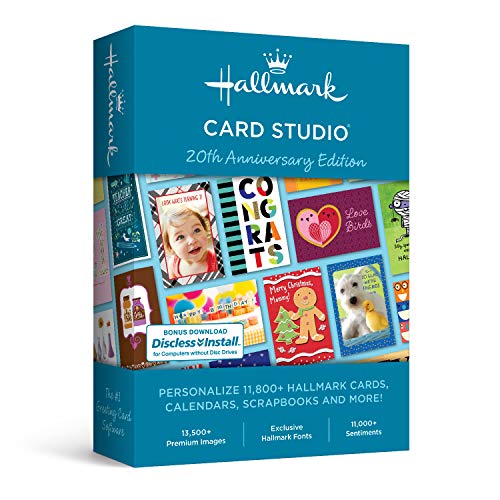
Features: Provides 11,800+ Hallmark cards and projects for occasions, plus a Hallmark writing etiquette guide. Includes a video tutorial to help users browse, edit, and customize quickly. Best for: Hallmark fans seeking a broad, ready-made card library and guided editing. Caution: may emphasize Hallmark styles over non-Hallmark templates, potentially limiting some creative options.
Fun Greetings Deluxe 1.0

Features: Nearly 200 one-click styles in a modern card shelf, with categories like Christmas, Holidays, Birthday, and more. Includes a new card editor with expanded personalization, and the ability to save styles for later. Best for: users who want quick, stylish cards with easy saving and reuse. Limitation: may have fewer templates than some larger libraries.
Fun Greetings [Download]

Features: Over 100 built-in one-click styles, including seasonal and celebration themes. Supports single fold, double fold, and custom sizes, plus an e-card option for electronic delivery. Best for: those who want flexible printing and digital card options. Caution: fewer modern templates compared to some newer suites.
Buying Guide
- Template libraries: If you value breadth, choose Print Artist Gold 25 for its 16,700+ templates and 277,000+ graphics. For quick, guided options, Hallmark Card Studio offers etiquette and a large card library.
- Ease of use: Nova Development US’s version emphasizes a new UI and video tutorials, helpful for beginners. PrintMaster v8 focuses on a streamlined design experience with a project wizard.
- Platform compatibility: Mac-focused titles (PrintMaster v7 Platinum for Mac, Fun Greetings Deluxe) suit macOS users, while PC-first options (PrintMaster v8 Platinum, Print Artist Gold 25) are ideal for Windows users.
- Output flexibility: Look for software offering business card, invitation, and poster templates, as well as social sharing options if you plan to publish or share digitally.
- Quality vs. quantity: More templates can be powerful, but ensure the interface remains navigable and that you can find and customize the designs you need without clutter.
Frequently Asked Questions
- What should I look for in card making software?
Look for template libraries, editing flexibility, platform compatibility, and output options for both print and digital sharing. - Is it better to choose a Mac- or PC-focused program?
Choose based on your primary computer; many titles offer cross-platform options, but some are optimized for a single OS. - Do these programs include royalty-free images?
Several options advertise royalty-free or commercial-use images, but verify license terms within the product to ensure compliance. - Can I export cards in multiple formats?
Most programs support common print formats and some offer e-card or social sharing capabilities; confirm export options before purchasing. - Are there any tutorials?
Several products include video tutorials or guided wizards to help new users get started quickly. - Which is best for beginners?
Programs with modern interfaces and step-by-step tutorials, such as Print Artist Platinum variants and Nova Development US titles, are typically friendly for newcomers.