If you’re looking for business management software that streamlines accounting, invoicing, and collaboration, you’ve found the right options. This guide focuses on practical, widely compatible tools suited for small businesses, solo professionals, and faith-based organizations alike. Each product section highlights who it’s best for, why it’s a strong fit, and any notable limitations. The featured picks emphasize clear accounting, invoicing, and essential admin features to help you run operations more smoothly.
Summary at a glance (top products):
- Sage 50 Pro Accounting 2026 U.S. Retail Essential Edition — Best for small teams needing robust accounting and invoicing, with straightforward setup.
- Microsoft Office Home 2026 — Best for individuals who rely on classic desktop productivity apps for documents and spreadsheets.
- Express Invoice Billing and Invoicing Software Free — Best for quick, flexible invoicing with mobile access.
- Microsoft Office Home & Business 2026 — Best for one-person businesses requiring a classic desktop Office suite with mail and scheduling.
- Quicken Classic Deluxe — Best for personal finance tracking and budgeting with business-like features.
Sage 50 Pro Accounting 2026: Essential Edition

Best for: small teams that need reliable bookkeeping, invoicing, and basic inventory management in one desktop-subscription package.
This edition emphasizes trusted accounting with easy setup and a straightforward chart of accounts. It is designed for users who want real-time reporting and practical tools to manage daily finances without complex workflows. The one-user, one-year subscription model suits sole proprietors or small firms testing Sage’s ecosystem before expanding. The product highlights include invoicing, inventory tracking, and standard financial reporting to support day-to-day decisions. A potential limitation is that it focuses on essential features rather than advanced ERP capabilities, so larger teams may outgrow it quickly.
Why choose this if: you need reliable, beginner-friendly accounting that scales to standard small-business needs, with predictable annual licensing.
Caution: Consider future growth plans; you might outgrow feature depth if you expand to multi-location inventory or more complex cost accounting.
Microsoft Office Home 2026
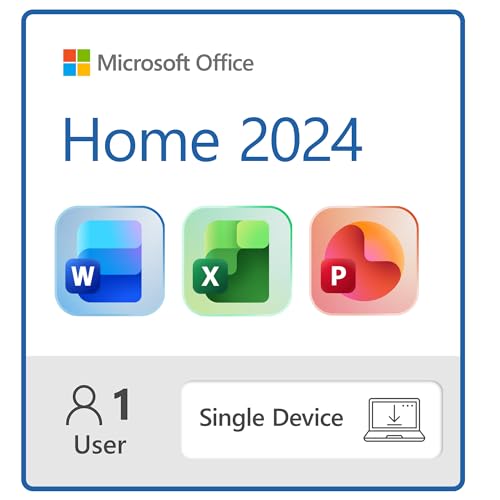
Best for: individuals who need classic desktop Word, Excel, PowerPoint, and OneNote on a single device.
This option packages essential productivity apps with a one-time purchase. It’s ideal for solo professionals or home offices that rely on standard document creation, spreadsheets, and presentations without ongoing subscription fees. The installation is limited to a single device, which makes it straightforward but less flexible for teams or multiple machines. Microsoft Office 2026 emphasizes familiar interfaces and local storage rather than cloud collaboration.
Why choose this if: you want dependable, perpetual access to core Office apps on one computer without recurring costs.
Caution: If you collaborate frequently via cloud services or need multi-device access, consider alternatives with broader device licenses or Microsoft 365.
Express Invoice Billing and Invoicing Software Free

Best for: businesses that need flexible invoicing across devices, with simple quotes and orders management.
This software supports creating invoices, orders, and quotes with customizable branding. The included web interface is accessible on mobile devices, making it convenient for on-the-go invoicing and client communication. The strength lies in ease of use and direct emailing, printing, and faxing capabilities from within the app. A potential limitation is that it may not cover deeper accounting needs or inventory control for larger operations.
Why choose this if: you want quick invoicing workflows and accessible mobile usage without heavy accounting modules.
Caution: If you require comprehensive financial reporting or advanced ledger features, pair with a dedicated accounting tool.
Microsoft Office Home & Business 2026

Best for: solo professionals or small offices needing Word, Excel, PowerPoint, Outlook, and OneNote on one PC or Mac.
This edition combines core Office apps with business-oriented tools like Outlook and OneNote for organizing communications and information. It’s a practical choice for users who prioritize desktop productivity and a straightforward one-time purchase. The offline emphasis can appeal to environments with limited or inconsistent internet access. It is less suitable for teams requiring concurrent licenses or cloud-based collaboration features.
Why choose this if: you want a classic, single-device Office suite with mail and scheduling included.
Caution: If you collaborate in real-time with others, you may prefer a cloud-based plan for easier sharing and updates.
Quicken Classic Deluxe

Best for: individuals seeking personal finance management with budgeting and savings tracking that can accompany small business tasks.
Quicken Classic Deluxe focuses on connecting banking, credit cards, debt, investments, and property to help organize finances. It supports budgeting and spending tracking, which can be beneficial for small business owners who also manage personal finances or side projects. The product’s scope centers on personal finance tools rather than full business accounting, so you may want to pair it with separate invoicing or payroll software for a complete small-business solution.
Why choose this if: you need strong budgeting and financial visibility alongside basic business tracking.
Caution: It is not a full accounting suite; for payroll, inventory, and invoicing, supplement with targeted business software.
Buying Guide: Key Purchase Considerations
What core features do you need? Determine whether you require accounting, invoicing, payroll, inventory, budgeting, or document productivity. For many small businesses, a combination of a solid accounting package (like Sage 50 Pro) plus a productivity suite (Office) covers essential needs without overpaying for unused features.
What is your licensing model? Decide between one-time purchases, subscriptions, or boxed versions. Subscriptions tend to offer ongoing updates and cloud access, while one-time licenses suit those who prefer static setups with lower long-term costs.
How many users and locations? If you work solo, a single-user package may suffice. For growing teams, look for multi-user licenses and scalable features such as multi-user accounting or multi-location inventory management.
Cloud vs. desktop? Cloud-based tools enable real-time collaboration and access from anywhere but require ongoing connectivity. Desktop solutions offer offline reliability and potentially lower ongoing costs but limit access to a single device or network.
Compatibility and integration? Check whether the software integrates with essential tools you already use (bank feeds, email clients, CRM, or payroll services). Strong, predictable integrations reduce manual data entry and errors.
Support and updates? Consider whether you need built-in support, regular updates, or user communities. Some products bundle a care plan or access to online resources, which can shorten learning curves.
Frequently Asked Questions
- What is the best option for a one-person business needing basic accounting? Sage 50 Pro Accounting 2026 Essential Edition offers essential bookkeeping and reporting with straightforward setup, ideal for solo operators.
- Which product is best for classic desktop Office tools on a single device? Microsoft Office Home 2026 or Microsoft Office Home & Business 2026 provide core Word, Excel, and PowerPoint on one device with optional Outlook for business use.
- Do these tools support invoicing and quotes? Yes, several options include invoicing; Express Invoice and Sage 50 Pro Accounting both emphasize invoicing alongside other financial tasks.
- Is cloud access important for my team? If collaboration and remote work are priorities, consider tools with cloud features or subscriptions that include cloud access and syncing capabilities.
- Should I mix a desktop suite with a separate accounting package? It can be effective to pair a productivity suite with a robust accounting tool to cover both document creation and financial management comprehensively.
- What if my business grows beyond a single user? Look for multi-user licenses, scalable reporting, and inventory controls to accommodate expanding teams and product lines.