Answer: For a cost-conscious 50-inch TV setup, these models deliver strong 4K picture, smart features, and reliable performance without breaking the bank. This guide highlights five solid options, ideal for different buyers—from streaming-focused viewers to casual gamers. The top picks balance picture quality, interface ease, and value.
| Product | Brand | Best For |
|---|---|---|
| INSIGNIA 50″ F50 Series 4K UHD Smart Fire TV | INSIGNIA | Fire TV fans who want integrated apps and Alexa voice control |
| Roku 50-Inch Select Series Smart TV | Roku | Simple streaming, wide app compatibility, easy navigation |
| Samsung 50-Inch U8000H Crystal UHD 4K | Samsung | Vibrant colors with strong upscaling and broad content |
| Amazon Fire TV 50″ Omni QLED Series 4K | Amazon | QLED color, Dolby Vision IQ, ambient experience |
| Hisense 50″ E6 Cinema Series Hi-QLED 4K | Hisense | Hi-QLED color and robust HDR formats |
Insignia 50″ F50 Series Fire TV

Best for: Fire TV enthusiasts who want a straightforward streaming experience with built-in Alexa. This model combines 4K Ultra HD picture with HDR10 and Fire TV’s app library, including Prime Video, Netflix, Disney+, Hulu, and HBO Max. It supports streaming channels like Pluto TV and Tubi, offering a broad range of free content. Upscaling improves legacy content for sharper output. The Fire TV interface provides quick access to entertainment without extra devices.
Limitations: The native app ecosystem centers on Fire TV, which may feel less flexible to users who prefer a broad third-party app store or more advanced gaming features.
Roku 50-Inch Select Series Smart TV

Best for: cord-cutters and users who want a simple, fast streaming experience. The Roku Select Series supports 4K with HDR10, and its picture processing emphasizes clarity and color accuracy. Roku’s Home Screen remains straightforward, with automatic updates and a broad app catalog. It’s a good pick if you prefer a neutral platform that doesn’t favor a single ecosystem.
Limitation: Some advanced gaming features or premium gaming modes may be less prominent than on higher-end models, and app organization can feel basic compared to other platforms.
Samsung 50-Inch U8000H Crystal UHD

Best for: viewers who want vivid color and strong upscaling. The Crystal Processor enhances colors, while 4K upscaling improves content quality. Samsung’s TV Plus offers free channels for additional viewing without subscriptions. Motion Xcelerator helps deliver smoother motion in sports and gaming, enhancing realism.
Caution: The value proposition relies on upscaling quality and app availability; some premium streaming apps may be less prominent depending on region or model year.
Amazon Fire TV Omni 50″ QLED Series

Best for: those who want a high-contrast QLED picture with Dolby Vision IQ and HDR10+. The ambient experience adds on-screen visuals that blend with room decor. Dolby Atmos support enhances audio to complement the bright, detail-rich picture. The Fire TV ecosystem enables fast access to apps and hands-free Alexa features.
Limitation: QLED brightness and color can vary with lighting; ambient mode might not appeal to all buyers depending on room setup.
Hisense 50″ E6 Cinema Series Hi-QLED
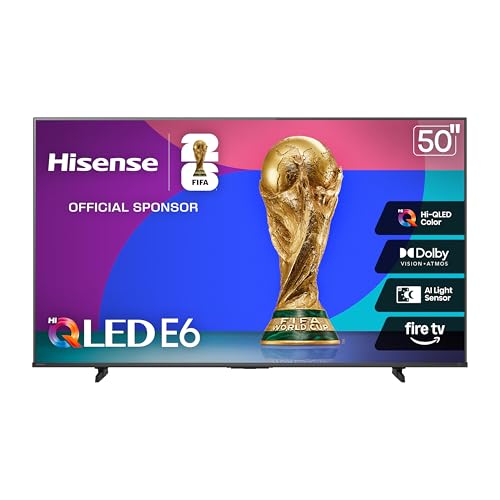
Best for: viewers wanting strong HDR performance and wide format support. The Hi-QLED color technology delivers vibrant, accurate tones, and the TV supports Dolby Vision, HDR10+, and HDR10/HLG with Adaptive brightness for varied lighting. This model emphasizes a cinema-like experience at a budget-friendly price point.
Limitation: Hi-QLED features are most noticeable with compatible content; some streaming apps may be region-restricted or updated at different cadences.]
Buying Guide: Key Considerations for Budget 50-Inch 4K TVs
- Picture quality vs. price: Look for 4K resolution, HDR formats supported (HDR10, Dolby Vision, HDR10+), and upscaling capabilities. Higher brightness and better color processing typically yield the sharpest results at 50 inches.
- Smart platform: Choose a user interface you trust. Fire TV, Roku, Samsung Tizen, or native options each offer different app catalogs and navigation styles.
- HDR and color: If you watch bright HDR content, ensure the TV handles HDR formats well and has a wide color gamut for vivid images.
- Ports and compatibility: Confirm HDMI inputs meet your setup needs (HDMI 2.1 for gaming, eARC if you use a soundbar, USB for media playback).
- Ambient usage: For living rooms with bright light, consider peak brightness, anti-glare, and ambient modes that won’t distract during viewing.
- Sound considerations: Built-in speakers vary in depth. If possible, plan for an external soundbar for movies and sports.
- Content availability: If you favor free streaming or a particular service, verify app availability on the chosen platform.
FAQs
- What is the best 50-inch TV for streaming on a budget? A model with a solid smart platform (like Fire TV or Roku) and good HDR performance tends to yield the best balance of cost and streaming quality.
- Do 50-inch TVs support Dolby Vision? Some do, including several in the options listed here. Check the model’s HDR formats before purchase.
- Is mini-LED worth it on a budget 50-inch TV? Mini-LED offers improved brightness and contrast, but on smaller screens the difference may be subtler and price higher.
- Can I use a gaming console with these TVs? Yes. Look for HDMI inputs with sufficient bandwidth and support for low input lag if gaming is a priority.
- Which brand offers the best value for a budget 50-inch TV? Samsung, Insignia, Roku, Amazon, and Hisense all provide compelling options; the best value depends on your preferred smart platform and HDR usage.
- Should I buy a 50-inch TV now or wait for newer models? If you want current 4K HDR features and a strong smart experience, these options provide solid value now; otherwise, anticipate minor performance gains in newer generations.