Answering the search for a reliable box for IPTV, this guide highlights five standout Android TV boxes and set-top solutions ideal for streaming live TV, on-demand content, and apps. Each pick targets different user needs—from budget-friendly simplicity to high-end features like 4K HDR, AI upscaling, and Google TV integration. The buyers here range from cord-cutters seeking a straightforward interface to tech enthusiasts chasing advanced streaming performance. Use the quick comparison table below to narrow down which box best fits your home theater setup.
| Product | Best For | Main Benefit |
|---|---|---|
| RUPA Android 14.0 4K TV Box | Families seeking 4K HDR and robust performance | Latest Android 14, 4GB RAM, 32GB storage |
| BuzzTV G-Series Google TV Box | Google TV lovers needing smart AI upscaling | AI upscaling, Google TV, 4GB RAM |
| Formuler Z10 Android 10 Box | Budget-friendly 4K streaming | 4K output with modest specs |
| Formuler Z11 Pro Android 11 Box | Higher-end Android box with HDR and WiFi | 4K, AX wireless, dual-band |
| BuzzTV E5 Android 11 Box | Value-focused 4K streaming | 4K output, ample storage, Android 11 |
RUPA Android 14.0 4K TV Box

Best for households that want true 4K playback with HDR10+ and a capable processor. The box uses a Rockchip RK3528 quad-core CPU, 4GB of RAM, and 32GB of storage to support smooth multitasking and fast app loading. It supports 60fps 4K content and HDR, delivering sharp images and vibrant colors for family movie nights and live streams. Best for: families and casual movie lovers seeking a strong all-around Android TV box.
Limitation: External hard drives require a separate power supply, which may add to the initial setup. Local video playback is possible via SD card, and 8K decoding is listed in the features, though practical use may depend on content availability and network bandwidth.
BuzzTV G-Series Google TV Box

Better for fans of Google TV who want a modern streaming experience with AI-assisted upscaling. This model runs on a capable processor with 4GB RAM and 64GB storage, offering snappy navigation and ample space for apps and media. It brings Google TV features to life with access to compatible apps and services, making it a strong all-in-one entertainment hub. Best for: households already invested in Google ecosystem and seeking smoother interface and AI clarity improvements.
Limitation: The emphasis on AI upscaling may not appeal to purists who prefer the raw output of source material without enhancement.
Formuler Z10 Android 10 Box

Choose this if you want a budget-friendly 4K streaming box with reliable Android 10 support. It provides essential streaming capabilities with 2GB RAM and 8GB storage, making it a solid entry-level option for IPTV setups and basic apps. Best for: budget-conscious users who want a straightforward Android TV box without extra features. Limitation: Lower RAM and storage compared with higher-end devices may affect multitasking and app load times.
Formuler Z11 Pro Android 11 Box

Best for users who want 4K output with solid wireless connectivity and expansion options. The Z11 Pro runs Android 11, includes 2GB RAM and 16GB storage, and supports Dual-Band WiFi with AX wireless. This makes it suitable for smooth streaming from IPTV apps, local media playback, and network-based content. Best for: tech-minded buyers needing stable performance with future-ready connectivity. Limitation: Moderate storage may require external options for large media libraries.
BuzzTV E5 Android 11 Box
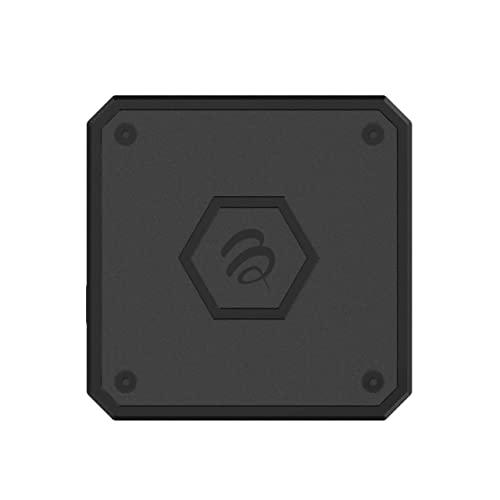
Best for value-focused 4K streaming with strong app support. The E5 offers 4K UHD output, 2GB RAM, 32GB storage, and runs Android 11, delivering a practical balance of performance and price. It suits users who want a reliable IPTV box without needing the latest high-end hardware. Limitation: While adequate for many apps, heavier multitasking or demanding games may encounter slower response times compared to higher RAM models.
Buying Guide
What should you consider when selecting an IPTV box?
- Content and app ecosystem: Does the box support your preferred streaming services and IPTV apps? Android and Google TV options tend to have broader app compatibility.
- Resolution and HDR support: If you have a 4K TV, prioritize boxes with 4K at 60fps and HDR (HDR10+, Dolby Vision if available) for best picture quality.
- RAM and storage: More RAM helps multitasking; larger storage reduces the need for constant app management and external storage reliance.
- Connectivity: Check WiFi standards (Wi‑Fi 6 preferred) and the presence of Ethernet for stable streaming, especially for IPTV live channels.
- Ports and expandability: USB 3.0, USB-C, and external storage compatibility can impact media library growth.
- User interface and updates: A recent Android version and a clean UI with regular updates improve security and app compatibility.
Frequently Asked Questions
- What is the best IPTV box for 4K streaming?
Answer: Boxes with 4K at 60fps and HDR, such as models listed here, provide the best 4K experience when paired with a capable TV and network. - Do all IPTV boxes run Android?
Answer: Most models shown run Android or Android TV variants, offering broad app support and easy setup. - Is 4GB RAM necessary for IPTV?
Answer: 4GB RAM improves multitasking and app responsiveness; 2GB can work for essential streaming but may feel slower with multiple apps. - Is Google TV worth it over standard Android TV?
Answer: Google TV offers a modern interface and centralized content recommendations; it’s advantageous for those who prefer Google’s ecosystem. - Can I use an IPTV box with external hard drives?
Answer: Some boxes support external drives or SD cards for local media; check power requirements and port availability for each model. - Do these boxes support 8K content?
Answer: Some specifications mention 8K decoding, but practical playback depends on content availability and hardware limitations.