Looking for a 3D printing pen to transform flat drawings into dimensional art or to prototype quick ideas? This guide highlights five top options that cater to different skill levels and project goals. Best for families and beginners: SCRIB3D P1 and 3Doodler Start+ offer forgiving controls and kid-friendly safety features. For more precise creators: MYNT3D Pro and Advanced SCRIB3D pens provide adjustable temperature and speed. Each pick includes practical benefits, ideal use cases, and a clear note on any limitations to help you choose confidently.
Summary of selected products:
- SCRIB3D P1 3D Printing Pen with Display
- MYNT3D Super 3D Pen
- MYNT3D Professional Printing 3D Pen
- 3Doodler Start+ Essentials 3D Pen Set
- SCRIB3D Advanced 3D Printing Pen
SCRIB3D P1 3D Printing Pen With Display

Best for learning curves and family use, the P1 kit combines an easy-to-use 3D pen with a visible display, starter PLA colors, a stencil guide, and a power adapter. It supports set speeds for intricate detail or quicker infill work. Ideal for gifts, classroom demos, or weekend craft sessions. A potential limitation is that PLA heating and extrusion times require a brief warm-up before drawing begins.
Who it’s best for: beginners and families seeking a complete, ready-to-doodle setup with helpful guided projects.
MYNT3D Super 3D Pen

Best for adjustable flow and clog-resistant design, the MYNT3D Super features a stepless speed slider for precise material control and a durable nozzle that reduces jamming risk. Suitable for artists and hobbyists who want steady control during drawing. Limitation: it uses 1.75mm filament and may require careful feeding for complex shapes.
Who it’s best for: builders who want smooth, continuous lines and reliable material flow across projects.
MYNT3D Professional Printing 3D Pen
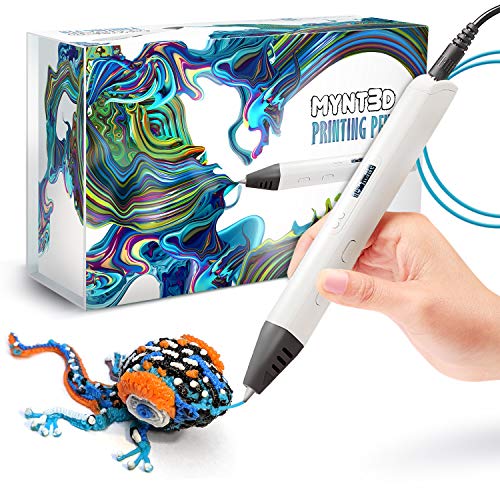
Best for fine-tuning and professional-like control, this pen offers adjustable temperature and a precise feed system—useful for detailed models and custom materials. It supports temperature regulation in small increments for material-specific results. A potential limitation is that it may feel more complex to beginners who need straightforward setup and fewer controls to manage at first.
Who it’s best for: serious hobbyists and aspiring makers who require precise temperature control and steady flow for cleaner detailing.
3Doodler Start+ Essentials 3D Pen Set
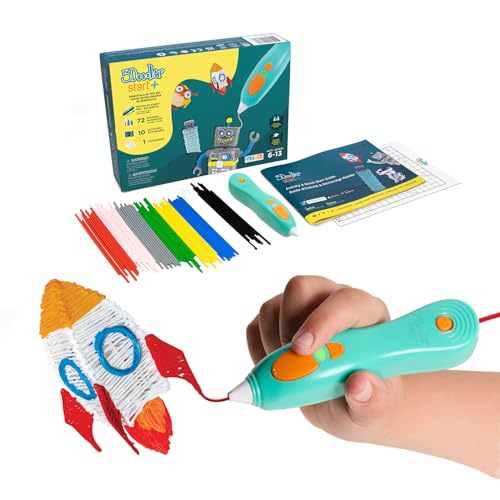
Best for kids and screen-free learning, the Start+ is designed with no hot parts, offering a child-safe introduction to 3D drawing with Start plastic filaments. It includes extra filaments, stencils, and a safety mode. Limitation: not all advanced materials from other brands are compatible, which may constrain more complex projects.
Who it’s best for: children and beginners seeking a safe, hands-on entry into 3D drawing with abundant learning resources.
SCRIB3D Advanced 3D Printing Pen

Best for advanced creators, the Advanced pen includes a large LCD screen, eight speed options, and a comfortable ergonomic build with a soft-touch surface. It ships with a substantial filament supply and a stencil book for guided projects. Caution: user experience benefits from familiarization with the LCD and control buttons to avoid incorrect settings during operation.
Who it’s best for: experienced users who want a pro-grade drawing experience with ample material options and a robust feature set.
Buying Guide
- Key features to compare: temperature control, speed adjustment, nozzle design, and filament compatibility. These impact how smoothly a pen handles different materials and works across various project types.
- Safety and ease of use: consider models with kid-safe features, clear LCDs, and guided modes if purchases are for children or classrooms.
- Filament ecosystem: assess the variety and availability of PLA or ABS filaments, including colors and spools, to ensure long-term project versatility.
- Ergonomics and handling: opt for pens with comfortable grips and balanced weight for extended drawing sessions or intricate builds.
- Project goals: for simple doodling or gifts, beginner kits are typically sufficient; for artistic modeling or prototyping, prioritize adjustable temperature and reliable extrusion.
FAQ
- What is a 3D printing pen used for?
It extrudes heated plastic that cools quickly, allowing you to draw in three dimensions or build rapid prototypes and decorative items.
- Are 3D printing pens safe for kids?
Many models offer kid-friendly features, such as low-heat nozzles or safety modes, but supervision is recommended for younger users.
- Which filament types are common?
PLA is widely used for its ease of use; some pens support ABS or specialty plastics, depending on the model.
- Do these pens require any setup?
Most sets require a warm-up time, filament loading, and simple controls to start drawing.
- Can I use any brand of filament?
Filament compatibility varies by model; always check the pen’s recommended filament size and type (most use 1.75 mm PLA or ABS).
- Which model is best for beginners?
Beginner-friendly options include SCRIB3D P1 and 3Doodler Start+, which emphasize safety features, guided kits, and straightforward operation.