Looking for a reliable 24 inch monitor that fits your needs and budget? This guide highlights five strong options, from budget-friendly full HD panels to feature-rich displays ideal for gaming and office work. Each pick is evaluated for who it’s best for, plus practical limitations to help you decide. Whether you need crisp text for productivity, fast refresh for gaming, or accurate color for creative work, these monitors offer solid value and straightforward setup.
| Product | Best For | Why It Stands Out |
|---|---|---|
| Philips 24 Inch FHD 100Hz VA (241V8LB) | General use, media viewing | Great contrast and wide viewing angles at a budget price |
| Dell SE2426H 23.8″ FHD 144Hz IPS | Productivity and light gaming | Smooth motion and reliable color with IPS |
| ArcticPro 24 Inch Gaming Monitor 144Hz IPS | Gaming and multimedia | High refresh, wide color gamut, frameless design |
| Dell S2425HSM 23.8″ FHD 144Hz | Entertainment and media | Integrated speakers and adjustable stand |
| Samsung 24″ S3 (S32GF) IPS 120Hz | Creative work and casual gaming | Vivid IPS color and responsive performance |
Philips 24 Inch FHD 100Hz VA Monitor 241V8LB

The Philips 241V8LB delivers a crisp 1920×1080 image on a 23.8″ VA panel with 100 Hz refresh. It uses a VA panel for strong contrast and a wide viewing angle of 178°/178°. This setup suits buyers who want vivid blacks and bright whites without a high price. Best for general computing, streaming, and office tasks where reliable color and deep contrast matter. Caution: the 100 Hz refresh is modest for fast-paced competitive gaming compared with higher‑refresh models.
Dell SE2426H 23.8-Inch FHD 144Hz IPS

Dell’s SE2426H uses an IPS panel for consistent color and viewing angles, paired with a 144 Hz refresh and a low response time. This monitor is well-suited for mixed use—productivity with smooth transitions for video and light gaming. Better for color accuracy and wide viewing angles than many budget TN options. Caution: IPS panels can be more expensive to replace than basic VA panels, and the stand may not swivel as widely as some competitors.
ArcticPro 24 Inch Gaming Monitor 144Hz IPS

The ArcticPro 24″ IPS monitor prioritizes fast action with a 144 Hz refresh and 1080p resolution. Its IPS panel offers wide color gamut (high sRGB reach) and wide viewing angles, which is ideal for creators and gamers who want consistent color from different seating positions. Caution: Backlight brightness and peak contrast may be lower than premium VA panels, so use HDR-like features sparingly if you have bright rooms.
Dell S2425HSM 23.8″ FHD 144Hz

Dell’s S2425HSM blends a 144 Hz refresh with an adjustable stand and built-in speakers, making it suitable for multimedia and office setups where space is at a premium. Best for users who want a single solution for work and casual entertainment. Limitation: The built-in speakers are serviceable but not high‑fidelity, so consider external audio if you value depth of sound.
Samsung 24″ S3 (S32GF) IPS 120Hz
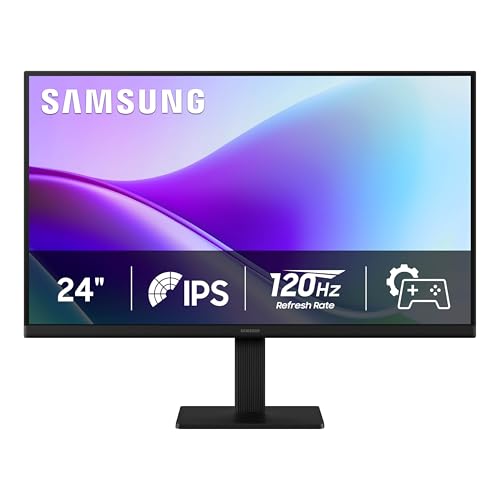
Samsung’s S3 (S32GF) provides vivid IPS color with a 120 Hz refresh, making it a strong choice for creative work and general gaming. It is best for buyers who want sharp text and accurate color without needing the fastest esports performance. Caution: 120 Hz is excellent, but not the highest available; enthusiasts chasing ultra-fast gaming may opt for higher refresh rates elsewhere.
Buying Guide
What should you consider when choosing a 24 inch monitor?
- Panel type: IPS offers accurate color and wide angles; VA typically provides stronger contrast; TN is fast but less color-accurate.
- Refresh rate: 60 Hz is standard; 75–144 Hz is better for gaming and smoother scrolling; 120–144 Hz preferred for action games and fast video.
- Resolution: 1920×1080 is the baseline for 24 inch displays; higher resolutions improve text clarity but may require more GPU power.
- Color and brightness: Look for 8-bit color and high brightness for daylight rooms; consider sRGB coverage for content work.
- Ergonomics: Adjustable height, tilt, swivel, and pivot help with long use; VESA compatibility adds mounting flexibility.
- Speakers: Built-in speakers can be convenient; expect modest audio quality and consider external audio for better sound.
FAQ
- What is a good 24 inch monitor for office work?
Choose an IPS panel with at least 1080p resolution, wide viewing angles, and adjustable stand for comfortable all-day use. A 60–75 Hz refresh rate suffices for productivity.
- Are 24 inch monitors suitable for gaming?
Yes, especially models with 144 Hz or higher and low response times. An IPS panel provides color accuracy, while VA panels offer strong contrast.
- Is 1080p enough on a 24 inch screen?
Yes for most office tasks and general media. Text remains crisp; you may notice sharper text at 1440p on larger displays, but 1080p is common and affordable here.
- What does IPS vs VA mean for image quality?
IPS delivers consistent colors from wide angles; VA provides deeper blacks and higher contrast. Your choice depends on room lighting and usage.
- Do built-in monitors’ speakers matter?
Built-in speakers are convenient for video calls and casual media but typically lack depth. External speakers or headphones improve audio quality.
- Should I prioritize refresh rate over resolution?
For fast-paced gaming or smooth scrolling, prioritize higher refresh rate. For text clarity and reading, resolution and panel quality matter more.