If you’re upgrading a mid-tower or full-tight build, a 200mm case fan can deliver strong airflow with lower noise than smaller fans. This guide highlights five top 200mm fans, suitable for enthusiasts who want quiet operation, high airflow, and reliable bearings. The buyers below target different needs: silent operation with premium acoustics, RGB aesthetics, or a straightforward high-airflow upgrade for ventilation-heavy builds. A quick summary table follows to compare core specs at a glance.
| Product | Brand | Best For | Notes |
|---|---|---|---|
| Thermaltake 200mm Pure 20 Series Black | Thermaltake | Balanced silence and efficiency | Thick 200×30 design for high air pressure |
| Noctua NF-A20 PWM chromax.Black.swap | Noctua | Premium quiet cooling | Advanced acoustics; broad compatibility |
| Thermaltake CT200 ARGB PWM Fan | Thermaltake | ARGB visuals with solid airflow | ARGB synced; 9 blades |
| Thermaltake CT200 PWM Fan (White) | Thermaltake | Clean look with strong airflow | Hydraulic bearing; 500–900 RPM |
Thermaltake 200mm Pure 20 Series Black 200x30mm
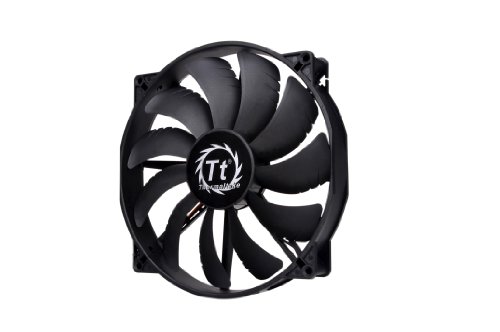
The Thermaltake Pure 20 Series Black is designed as a thick 200x30mm fan that prioritizes high air pressure and substantial airflow. It aims to balance silence with performance through a blade design that concentrates airflow without excessive noise. This model is best for users who want a straightforward, efficient upgrade for cases with large mounting spaces or top-mounted fans. Potential limitation: the thicker 200x30mm footprint may require confirmed clearance in smaller enclosures.
Noctua NF-A20 PWM chromax.Black.swap
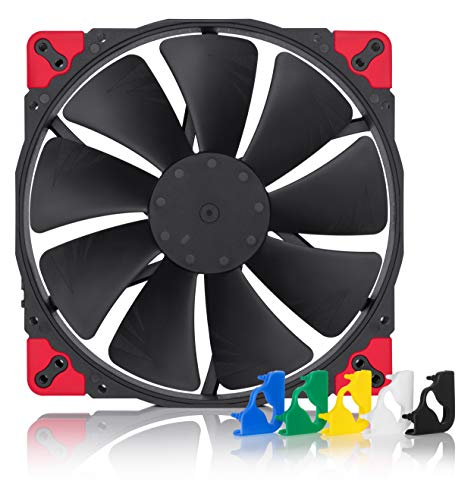
The Noctua NF-A20 PWM chromax Black.swap is a premium quiet option with a large 200mm diameter. It uses PWM control, a low max speed, and advanced acoustic optimization to deliver minimal noise at high airflow. It is best for builders prioritizing near-silent operation in workstations or home PCs where acoustics matter. Limitation: while very quiet, it may be more expensive and heavier than standard models, and broad mounting compatibility should be verified for unusual cases.
Thermaltake CT200 ARGB PWM Fan
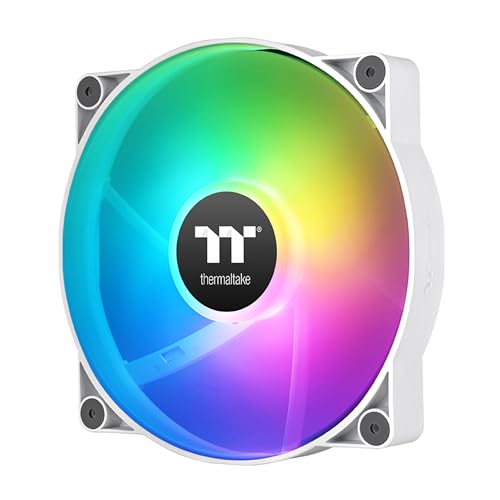
Thermaltake CT200 ARGB PWM combines ARGB lighting with robust airflow. Its nine-blade design can push up to 131.6 CFM and maintains a static pressure around 1.92 mm-H2O. This model suits builds where visuals matter just as much as cooling performance, such as gaming rigs with tempered glass panels. Best for users who want synchronized lighting across CT fans. Caution: ARGB kits require compatible motherboards or controllers for full color syncing.
Thermaltake CT200 PWM Fan White

The Thermaltake CT200 PWM Fan White delivers strong airflow with a 200x200x30mm footprint and hydraulic bearings for smooth, silent operation. Its 500–900 RPM range provides flexibility for quieter daily use or more aggressive cooling during load. Best for users who want a visually clean white aesthetic with reliable performance. Limitation: hydraulic bearings can exhibit different wear characteristics depending on usage, so monitoring over time is advised.
Buying Guide: Choosing the Right 200mm Case Fan
What matters most when selecting a 200mm case fan? Consider airflow needs, noise tolerance, and case compatibility. If your build has a large chassis and aims for minimal noise, prioritize low RPM fans with acoustic optimization, such as models from Noctua. For gamers or showpiece builds, ARGB fans provide lighting that can be synchronized with other components. When space is limited, measure clearance precisely since some 200mm fans are thicker than standard 25mm units.
Performance vs. acoustics: fans with higher CFM can improve cooling in hot systems but may generate more noise. Choose a model with a balance that matches your use case. Hydraulics or sleeve bearings influence longevity and quiet operation; however, polymeric or sealed bearings can offer longer life in some environments. If your motherboard supports PWM, PWM-controlled fans help maintain consistent noise levels under varying loads.
Compatibility and mounting: verify mounting hole patterns for compatibility with your case. Some 200mm fans use standard 200×200 mm mounting with 30 mm thickness, while others may offer alternative mounting solutions. Cable management should be planned to avoid obstructing airflow paths. For builds requiring aesthetics, ARGB or chromax.Black.swap variants enable color customization and easier color-matching.
Maintenance: periodic cleaning reduces dust buildup, sustaining airflow and efficiency. If you run high-performance fans, ensure the power delivery and fan curves on the motherboard are properly configured to prevent overworking the unit.
Frequently Asked Questions
What is the advantage of a 200mm fan over smaller fans?
200mm fans typically deliver higher airflow at lower noise levels due to larger blade area and optimized blade design, allowing better overall cooling with less noise in many cases.
Are ARGB 200mm fans worth it?
ARGB fans add visual appeal and can be synchronized with other components, which is desirable for showpiece builds. Functionality is similar to non-ARGB fans beyond lighting.
How important is bearing type in 200mm fans?
Bearing type affects longevity and noise. Hydraulic and sleeve bearings can offer smooth operation, while ball bearings tend to be durable at higher sustained speeds.
Do 200mm fans require special cases?
Not always. Many cases support standard 200×200 mounting. Always check your chassis clearance, thickness, and mounting hole compatibility before purchasing.
Can I run multiple 200mm fans in a build?
Yes, but ensure your power supply and motherboard fan headers can handle the load. Use proper fan curves to balance cooling and acoustics across all fans.
Is PWM control necessary for 200mm fans?
PWM control helps maintain consistent noise levels by adjusting speed with load. It is especially beneficial in variable load scenarios or silence-focused builds.