Looking for the best 2-in-1 laptops for kids? This guide highlights five reliable, kid-friendly convertibles that blend portability, durability, and learning-friendly features. Each pick suits different types of young users—from classroom coders to creative explorers. The table below briefly compares who each product is best for and why it stands out.
| Product | Best For | Why It Stands Out |
|---|---|---|
| Dell Latitude 7420 2-in-1 | Older students and productivity-focused kids | Strong performance, large RAM and SSD; renewed value |
| AWOW Purple 11.6″ 2-in-1 | Budget-conscious learners | Kid-friendly color, decent specs for price |
| BINHENGLON 11″ 2-in-1 | Travelers and light multitaskers | Compact, high-resolution display; flexible modes |
| CHUWI 2-in-1 10.51″ | Students needing portability | Slim, 2K display, expansion options |
| Svikou 11″ 2-in-1 | Young students and beginners | 12th-gen Celeron power with IPS display |
Dell Latitude 7420 2-in-1 14” FHD Touch renewed

This Dell model targets students and young professionals who need robust multitasking capability. Best for older kids or teens who require reliable performance in school tasks, coding, and productivity software. Key specs include 14″ FHD touchscreen, Intel Core i7-1165G7, 16GB RAM, and 512GB SSD. The renewed status offers significant value for buyers prioritizing speed and storage. A potential limitation is renewed condition; verify warranty and return details before purchase.
AWOW Purple 11.6″ 2-in-1 Touchscreen
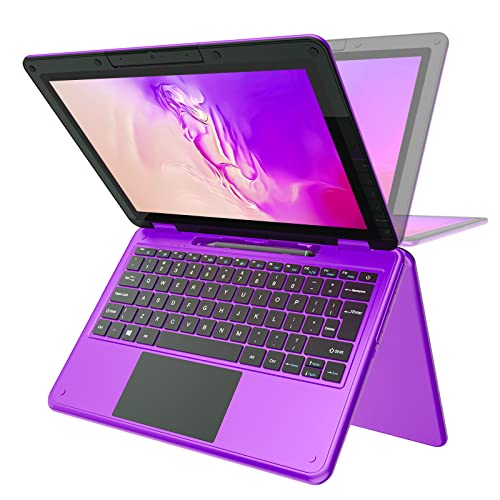
This AWOW model suits younger students or beginners who need an affordable convertible for learning apps, online classes, and basic office work. It runs on an Intel N4120 with 6GB RAM and 256GB SSD, features a waterproof/dust-proof keyboard and a rotatable camera, and ships with a kid-friendly color. Choose this if budget is the top constraint and your child’s tasks stay within light multitasking and educational apps. It might be less ideal for heavy multitasking or demanding software.
BINHENGLON 11 Inch 2-in-1 Laptop
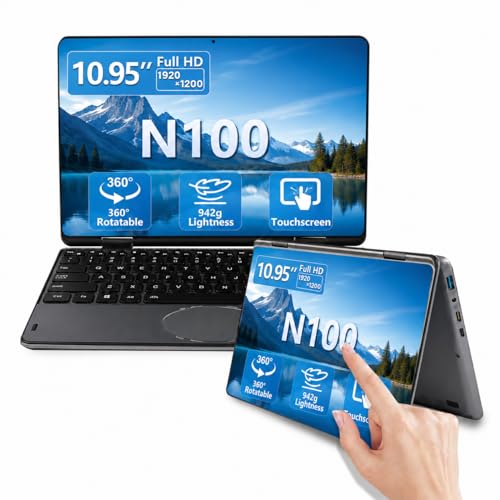
This 11-inch BINHENGLON convertible emphasizes portability for on-the-go learners. It features a 1920×1200 IPS display, 16GB RAM, 512GB SSD, and a 360° hinge. Best for students who need a compact device for note-taking, browsing, and light creative tasks. The higher RAM helps with multitasking, but the processor (Celeron N100) suggests it’s not suited for heavy workloads. Consider its small screen if readability is a priority for extended study sessions.
CHUWI 2-in-1 Touchscreen Laptop 10.51″
CHUWI offers a compact 10.51″ 2-in-1 with a 2K display and 16GB RAM plus 512GB SSD. It supports a 360° convertibility, has a slim profile, and includes a backlit keyboard. This model is better for kids who prioritize portability and need a capable machine for lightweight school tasks, media, and drawing. The smaller screen size may not be ideal for long reading sessions or detailed design work, and expansion options are a consideration for future needs.
Svikou 11″ Touchscreen 2-in-1
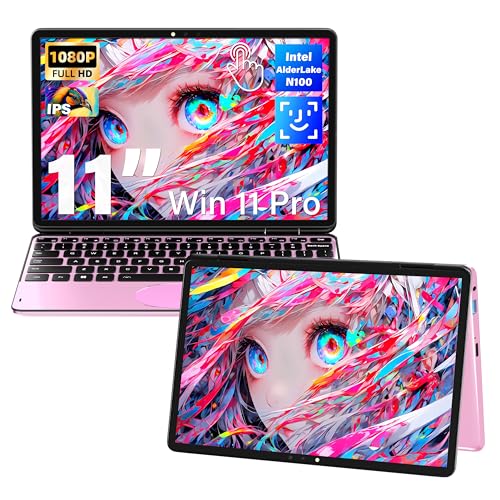
This Svikou 11″ model targets younger students or beginners who want a compact, affordable 2-in-1 with Windows Pro and a bright IPS display. It uses an Intel Celeron N100, 16GB RAM, and 512GB SSD for everyday tasks. It’s best for early learners who benefit from a small, easy-to-handle device, but note that more intensive multitasking could slow performance.
Buying Guide: Key Purchase Considerations
- Screen size and readability: For long study sessions, aim for 11–14 inches with a readable 1080p or higher display and good viewing angles.
- Performance and memory: Look for 8GB–16GB RAM and at least 256GB–512GB SSD for smooth multitasking and enough storage for school files.
- Durability and design: A spill-resistant keyboard, rounded edges, and a sturdy hinge help withstand daily student use.
- Conversion versatility: A true 360° hinge enables laptop, tablet, tent, and stand modes for different learning styles and apps.
- Battery life: Seek devices that last through a school day without frequent recharges.
- Portability: Lighter machines are easier for kids to carry; check overall weight and size against the child’s age and backpack habits.
- Software and compatibility: Ensure the OS supports essential classroom apps (word processing, presentations, video calls) and that security features align with school requirements.
Frequently Asked Questions
- Are 2-in-1 laptops suitable for young children?
Yes, they offer flexible modes, touch input, and portability that can suit early learning and school tasks. Choose models with durable keyboards and parental controls if needed.
- What is a good screen size for a kid-friendly 2-in-1?
11 to 14 inches is common for portability and readability; larger screens help with reading and multi-tab learning, while smaller ones are easier to carry.
- Is RAM important for kids’ tasks?
Yes. 8GB RAM is a solid baseline for multitasking and several apps; 16GB is better for heavier use or future-proofing.
- Should I prioritize a durable chassis or performance?
Durability is crucial for kids. If choosing between similar specs, prioritize a rugged build or spill-resistant features alongside adequate performance.
- What about price vs. longevity?
Investing in a mid-range, durable 2-in-1 often yields better long-term value than the cheapest option, especially if the device will see daily classroom use.