Answering your search for a 12 inch tablet, this guide highlights five solid options that balance display size, performance, storage, and value. Each pick suits different needs—from everyday browsing and media streaming to productivity with keyboards. This overview helps buyers decide who benefits most from each model and where trade-offs occur, so you can pick the right 12 inch tablet for your tasks.
| Product | Screen | Memory | Storage | Best For |
|---|---|---|---|---|
| SVITOO 12 Inch Android 16 Tablet | 12″ 2K | 4GB RAM + 26GB virtual | 128GB + microSD up to 1TB | Students and multitaskers seeking solid performance |
| Lenovo Idea Tab Plus | 12.1″ 2.5K | 8GB | 128GB | Lightweight, AI-assisted study and browsing |
| YLEEBG 2026 12 Inch Android 16 Tablet with Keyboard | 12″ 2K | 24GB RAM | 256GB + microSD up to 2TB | Productivity with keyboard, AI features |
| PYNAREL Android 16 Tablet with Keyboard | 12″ 2K | 24GB RAM | 256GB + microSD up to 2TB | Power users needing big storage and AI tools |
| TECLAST T65 13.4″ Android16 Tablet | 13.4″ 1920×1200 | 8GB | 128GB | Large-screen media and multitasking (alternative size) |
SVITOO 12 Inch Android 16 Tablet
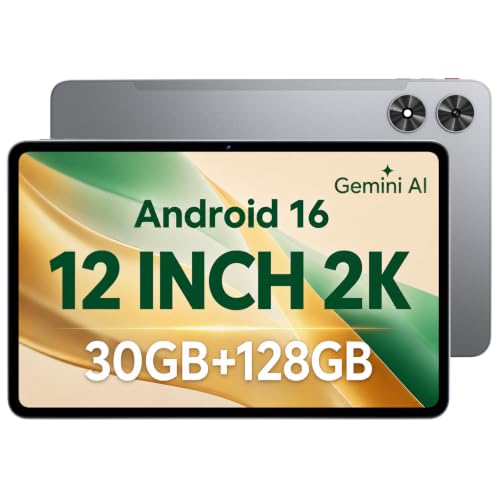
Best for students and light multitaskers who want a compact 12-inch tablet with a sharp 2K display. The 7.8 mm metal body keeps the tablet slim while the 2K IPS panel delivers vivid colors and wide viewing angles. Android 16 with an octa-core processor supports browsing, streaming, and learning apps, while the 30GB total memory (4GB physical plus 26GB virtual) facilitates smoother app switching for everyday tasks. A microSD expansion up to 1TB adds flexible storage. Use this if you prioritize a solid, all-around Android tablet that travels well.
Cautions: Performance is adequate for daily use but not a high-end gaming rig. Ensure you rely on expandable storage rather than large media libraries on internal storage when possible.
Lenovo Idea Tab Plus – Lightweight Tablet

This model suits buyers who want a slender, portable tablet with AI-assisted features and a vivid display. The 12.1″ screen provides ample space for note-taking, reading, and media, while the Luna Grey design is comfortable in hand. The device emphasizes light, all-day usability with a focus on quick search and translation via Circle to Search, powered by Google. Best for students and casual pros who value ease of carrying and smart search capabilities.
Caution: The feature set is strong for learning and browsing, but heavy multitasking across many apps may require patience compared with higher-memory configurations.
YLEEBG 2026 12 Inch Android 16 Tablet With Keyboard

Best for productivity on the go. This 12-inch tablet pairs a robust 24GB RAM and 256GB storage with a keyboard, enabling efficient document editing, browsing, and media consumption. It supports microSD expansion up to 2TB, offering substantial room for files. Android 16 with Gemini AI integration adds intelligent assistance for writing tasks, translation, and content creation. Suitable for students and remote workers who need a portable workstation.
Limitation: Battery life may vary with AI features and keyboard usage; plan for regular charging during heavy use.
PYNAREL Android 16 Tablet With Keyboard

Best for power users who want expansive storage and AI tools. This tablet features 24GB RAM and 256GB ROM with support for up to 2TB expansion, plus a keyboard bundle for productive work sessions. Android 16 with Gemini AI enhances document processing, language translation, and creative ideation, making it a capable all-in-one device for students, professionals, and creators who demand speed and space. Use this if you need serious multitasking and large media libraries on a 12-inch screen.
Caution: The high-memory configuration may come with a higher price point; verify keyboard compatibility with your preferred accessories.
TECLAST T65 13.4″ Android16 Tablet

Best as an alternative when a larger display is preferred. While it is slightly bigger at 13.4 inches, the T65 offers a bright 1920×1200 screen, 120Hz refresh rate, and 120Hz performance with TDDI technology. It includes a factory-installed tempered glass protector and a premium viewing experience for streaming and productivity. Choose this if you want a big-screen experience and are comfortable with a marginally larger form factor than a strict 12-inch device.
Buying Guide: Key Purchase Considerations
- Display and ergonomics: If you plan to read, draw, or write extensively, prioritize a 12-inch screen with a high-resolution panel and slim bezels for comfortable one-handed use.
- Performance and memory: For multitasking or AI-assisted tasks, seek models with at least 8GB RAM and 128GB storage, plus microSD expansion for multimedia libraries.
- Storage options: Decide between built-in storage vs expandable storage. Some models offer 256GB or more plus 2TB expansion to future-proof media collections.
- Keyboard compatibility: If you need productive use, consider bundles with a keyboard or compatible accessories for faster typing and document workflows.
- Software and AI features: Android 16 with Gemini AI and Circle Search can boost productivity and translation tasks. Ensure the ecosystem supports your apps and tools.
- Battery life: Larger displays often consume more power. Look for balanced battery capacity and real-world usage expectations, especially with AI features enabled.
- Expansion and ports: Check for microSD slots, USB-C charging, and any stylus compatibility if you plan to take notes or sketch.
Frequently Asked Questions
- What is a practical size for a 12 inch tablet? Answer: A true 12 inch tablet features a screen around 11.9 to 12.5 inches with a 2K or higher resolution for crisp text and vibrant images.
- Is Android 16 necessary for a good tablet experience? Answer: Android 16 adds latest security and AI features; it can improve productivity and app compatibility, depending on your apps.
- Should I choose a model with a keyboard? Answer: If you plan to type long documents or run productivity apps, a keyboard bundle improves efficiency and converts the tablet into a compact workstation.
- Is expandable storage important? Answer: Yes, microSD expansion is valuable for media libraries and large files, especially if you select models with 128GB base storage.
- What should I consider for long-term use? Answer: Prioritize RAM, storage capacity, battery life, and the availability of updates or AI-assisted features that fit your workflow.
- Which model offers the best value for students? Answer: Models with a balance of display quality, light weight, reasonable RAM, and storage, such as the 12-inch options with expandable storage, provide good value for coursework and media.