Answering the buyer’s search: these compact 12-inch laptops offer lightweight portability, reliable performance for everyday tasks, and solid battery life. They’re ideal for students, commuters, and business users who want a small footprint without sacrificing essential performance. The selections below emphasize best-for scenarios, from polished touchscreen surfaces to versatile 2-in-1 designs. A quick buying table helps with side-by-side comparison.
| Product | Best For | Key Strength |
|---|---|---|
| Microsoft Surface Laptop Go (Renewed, 12.4″) | Light travel, everyday tasks | Bright PixelSense touchscreen, Windows Hello |
| Microsoft Surface Laptop Go 2 (12.4″, 256GB, 16GB RAM) | Productivity with more RAM | Windows 11 Pro, larger memory |
| Lenovo IdeaPad Flex 3i Chromebook (12.2″) | Budget multi-mode use | 2-in-1 versatility, long battery life |
| Jumper 2-in-1 12″ (12GB RAM, 512GB) | Highest internal storage in this group | Detachable keyboard, 2K touchscreen |
| Samsung 12″ Convertible Chromebook Pro | Web-first tasks, light multitasking | 2K touch display, 360° hinge |
Microsoft Surface Laptop Go 12.4″ (Renewed)
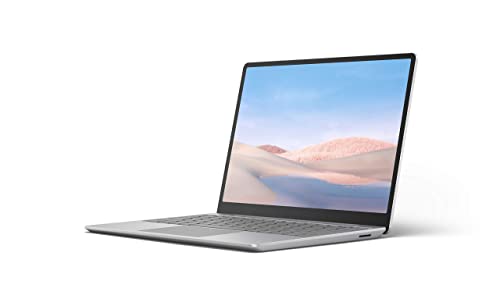
The Surface Laptop Go with a 12.4-inch PixelSense display is designed for portability and everyday computing. It combines an Intel Core i5-1035G1 quad-core processor, 4GB DDR4 RAM, and a compact chassis. This entry is best for users who want a familiar Windows experience in a light package for basic productivity, web browsing, and media viewing. Best for students and travelers who prioritize a slim profile and quick sign-in through Windows Hello.
Best for: light productivity users who value a recognizable Windows environment and a compact, premium-feel device. Why selected: the renewed condition helps balance cost with dependable hardware in a familiar ecosystem.
Caution: The 4GB RAM configuration may limit heavy multitasking with many tabs or demanding apps. Consider upgrading to models with more memory if available.
Microsoft Surface Laptop Go 2 (12.4″, 256GB, 16GB RAM)

This Surface Laptop Go 2 offers a more capable setup with 16GB RAM and a 256GB SSD, plus Windows 11 Pro. The 12.4-inch LCD touchscreen maintains portability while improving responsiveness for multitasking, video calls, and document work. Best for: professionals and students who need smoother multitasking and a more robust OS experience. Why selected: higher RAM handles more browser tabs and apps concurrently and Windows 11 Pro adds enterprise-friendly features.
Better for: users who routinely multitask with many open windows or require faster wake times and security features like Windows Hello and One Touch sign-in on select models.
Limitation: Renewed status means configuration may vary; confirm included accessories and warranty details before purchase.
Lenovo IdeaPad Flex 3i Chromebook 12.2″
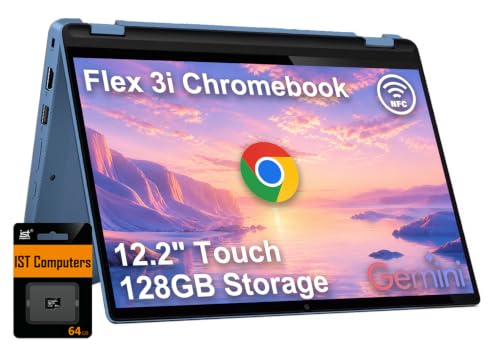
The IdeaPad Flex 3i Chromebook 12.2″ is a budget-friendly 2-in-1 designed for classroom and casual use. It runs on an Intel N100 processor with 4GB RAM and 128GB storage (plus SD expansion). The 12.2″ touch display supports flexible modes for typing, sharing, and media viewing. Best for: students and light web-based work where Chromebook simplicity and long battery life matter. Why selected: strong value for a 2-in-1 with solid battery life and a versatile hinge. Caution: Chrome OS limits certain software ecosystems compared to Windows.
Jumper 2-in-1 12″ 2K Touchscreen

The Jumper 2-in-1 combines a detachable keyboard with a 12-inch 2K touchscreen and 12GB RAM, plus 512GB SSD. Its compact chassis supports tablet and laptop modes, making it a flexible pick for light productivity, note-taking, and media consumption. Best for: users who want a high storage option in a 12-inch form factor and occasional PC-like use. Why selected: high RAM and large SSD for a budget 2-in-1. Limitation: not a premium-grade touchscreen experience compared with premium brands.
Samsung 12″ Convertible Chromebook Pro
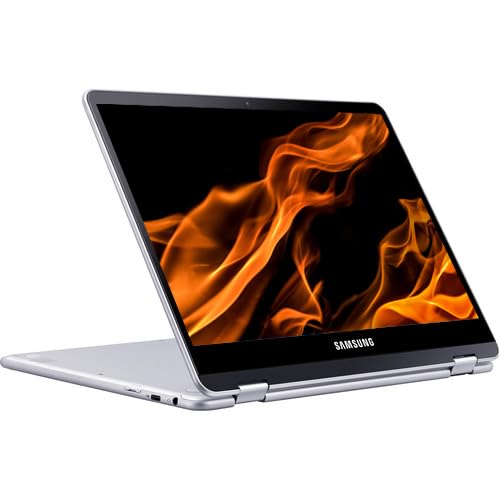
The Samsung Chromebook Pro with a 12-inch 2K touchscreen and 360-degree hinge emphasizes Chrome OS usability and portability. It features a Rockchip processor with 4GB RAM and 32GB storage, focusing on web-based tasks, cloud apps, and light multitasking. Best for: users who rely on Google services and need a compact, secure device for web apps and streaming. Why selected: exceptional emphasis on portability and Chrome OS efficiency. Caution: limited offline software compared to Windows devices and modest internal storage.
Buying Guide
- Operating System: Choose Windows if you need traditional desktop apps and full software compatibility. Opt Chrome OS for fast, secure web-based work and simple offline use.
- RAM and Storage: For heavier multitasking, aim for 8GB+ RAM and 256GB+ SSD. If you mostly browse and edit documents, 4GB RAM may suffice.
- Screen and Input: A high-resolution touchscreen improves clarity for reading and notes. A 2-in-1 hinge adds versatility for tablet mode and media viewing.
- Portability vs. Power: 12 inches offer ultra-portability. If you travel frequently, prioritize lighter weight and longer battery life; for productivity, prioritize RAM and a comfortable keyboard.
- Durability and Refurbished Warranty: Renewed or refurbished units can save money but check warranty length and return options.
- Connectivity: Verify Wi-Fi standards and available ports (USB-C/Type-C, USB-A, microSD) to support peripherals and charging needs.
FAQ
- What is the best 12-inch laptop for students?
- Is a 4GB RAM model sufficient?
- Which is best for 2-in-1 use?
- Do refurbished models come with any warranty?
- Which device has the best display among these?
Windows-based Surface Laptop Go 2 or Lenovo IdeaPad offerings provide a balance of portability, screen quality, and easy multitasking for coursework.
For light tasks, web browsing, and document editing, 4GB RAM can work, but 8GB is preferable for smoother multitasking.
Lenovo IdeaPad Flex 3i Chromebook and Jumper 2-in-1 both offer flexible modes; choose based on whether you prefer Chrome OS or Windows.
Many renewed units include a minimum warranty; confirm the duration and included accessories before purchase.
Surface models typically deliver high-clarity PixelSense displays with touch support, while Samsung Chromebook Pro focuses on Chrome OS-friendly clarity in a compact form.